

Call your connector
Call a custom AgentKit connector as a user: send REST requests through the API proxy with actions.request, or list and run the tools of a custom MCP connector.
Make tool calls to your custom connector once the connector, its connection and the user’s connected account are set up.
The call method depends on the connector type:
- REST API connectors: call the API through the proxy with
actions.request(). - MCP connectors: list the connector’s tools, then call them with
execute_tool.
Both types use the same connection, connected account, and user authorization model.
Prerequisites
Section titled “Prerequisites”Make sure:
- The connector exists and is configured with the right auth pattern
- A connection is configured for the connector
- The connected account exists
- The user has completed authorization
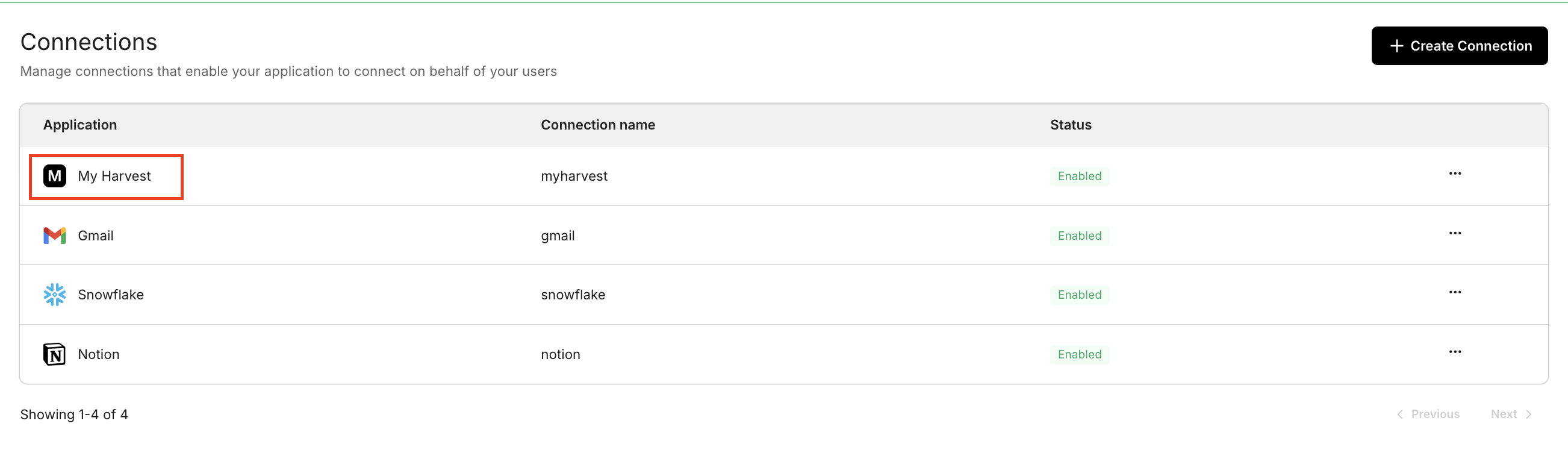
Create a connection for your connector in the Scalekit Dashboard:
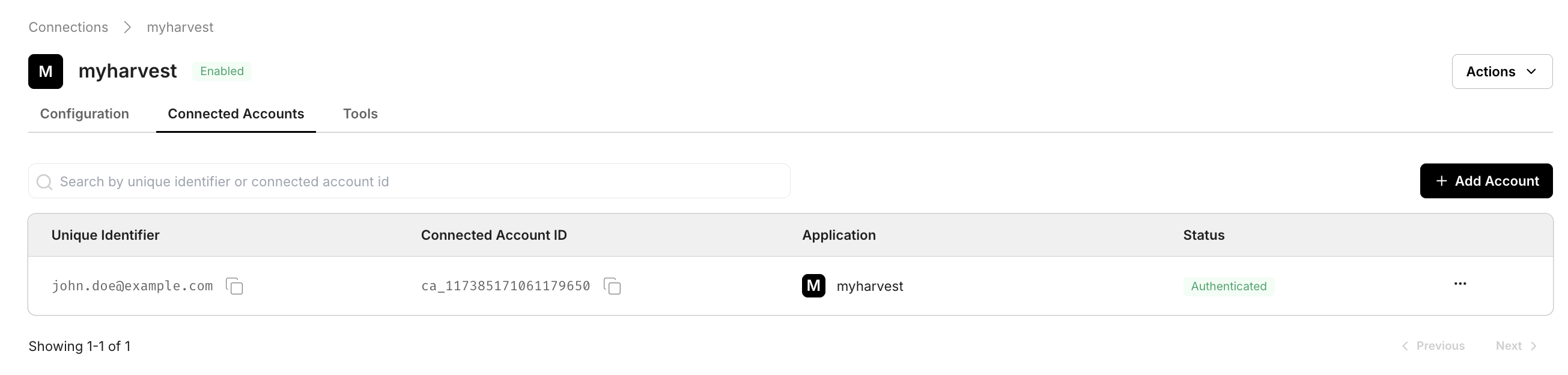
After the user completes authorization, the connected account appears in the Connected Accounts tab:
REST API proxy calls
Section titled “REST API proxy calls”Call a REST API connector through the API proxy, the same way you call any catalog connector. Call any API has the full steps in Python, Node.js and cURL, including the account check and error handling. Two things are specific to a custom connector:
pathis relative to the connector’sproxy_url, not the app’s public base URL.- The connector definition controls how Scalekit authenticates the call, so the request looks the same whether the connector uses OAuth, an API key or basic auth.
response = actions.request( connection_name="your-provider-connection", # from AgentKit > Connections identifier="user_123", method="GET", path="/v1/customers", # relative to the connector's proxy_url)print(response.status_code, response.json())const response = await scalekit.actions.request({ connectionName: 'your-provider-connection', // from AgentKit > Connections identifier: 'user_123', method: 'GET', path: '/v1/customers', // relative to the connector's proxy_url});console.log(response.status, response.data);MCP tool calling
Section titled “MCP tool calling”An MCP connector’s tools come from the upstream MCP server, and you call them exactly like built-in tools: list the scoped tools for the connection to get their names and input schemas, then call execute_tool. Use built-in tools covers both steps in Python, Node.js and cURL, and how to read the result.
from google.protobuf.json_format import MessageToDict
page, _ = actions.tools.list_scoped_tools( identifier="user_123", filter={"connection_names": ["your-mcp-connection"]}, page_size=100,)print([MessageToDict(t.tool)["definition"]["name"] for t in page.tools])
result = actions.execute_tool( tool_name="tool_name_from_the_list", identifier="user_123", connection_name="your-mcp-connection", tool_input={"key": "value"}, # match the tool's input_schema)print(result.data)const page = await scalekit.tools.listScopedTools('user_123', { filter: { connectionNames: ['your-mcp-connection'] }, pageSize: 100,});console.log(page.tools.map((t) => t.tool?.definition?.name));
const result = await scalekit.actions.executeTool({ toolName: 'tool_name_from_the_list', identifier: 'user_123', connector: 'your-mcp-connection', toolInput: { key: 'value' }, // match the tool's input_schema});console.log(result.data);API reference
The endpoints this page's code calls, with every field and the SDK method for each: