
The Google Looker connector lets your AI agent act in each user's Google Looker account. Each user signs in to Google Looker once, and Scalekit stores and refreshes their tokens, so your agent never handles credentials. It comes with 31 tools.
- Tools
- 31
- What they doRead · write · destructive
- 18 · 9 · 418 read9 write4 destructive
- Users sign in with
- OAuth
- OAuth app
- Your own Google Looker app
Setup
Install the SDK
Terminal window npm install @scalekit-sdk/node dotenvTerminal window pip install scalekit-sdk-python python-dotenvSet your credentials
Add your Scalekit credentials to your
.envfile. Find values in app.scalekit.com > Developers > API Credentials..env SCALEKIT_ENVIRONMENT_URL=<your-environment-url>SCALEKIT_CLIENT_ID=<your-client-id>SCALEKIT_CLIENT_SECRET=<your-client-secret>Create the Google Looker connection
In AgentKit > Connections, create a Google Looker connection and copy its redirect URI. The name you give it is the
connection_nameyour code passes. See Configure connections.Register an OAuth app
Google Looker connections use your own OAuth app. Register one with Google Looker and add the redirect URI you copied.
Then enter the app's Client ID and Client Secret on the Google Looker connection.
Console steps with screenshots
Register your Scalekit environment with the Google Looker connector so Scalekit handles the OAuth flow and token lifecycle for you. The connection name you create will be used to identify and invoke the connection programmatically.
-
Create a Google Looker instance
Google Looker (Google Cloud core) runs as a managed service in your Google Cloud project. You must create an instance before setting up OAuth credentials.
-
Go to Google Cloud Console and select or create a project.
-
In the navigation menu, go to Looker (or search for “Looker” in the search bar).
-
Click Create Instance and follow the setup wizard. Note your instance hostname — it will look like
your-company.cloud.looker.com. You will need this when adding connected accounts in Scalekit.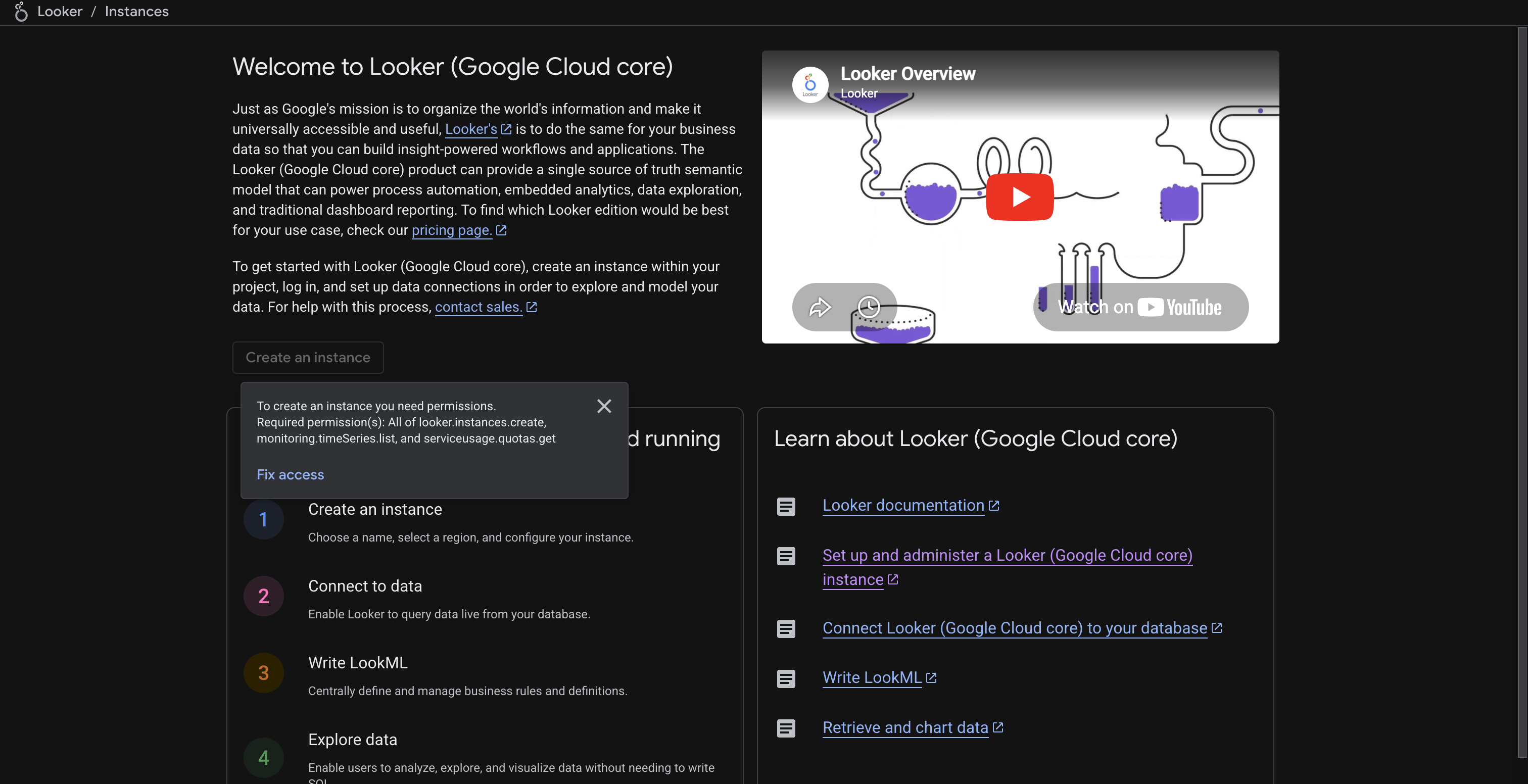
-
-
Enable the Looker API
-
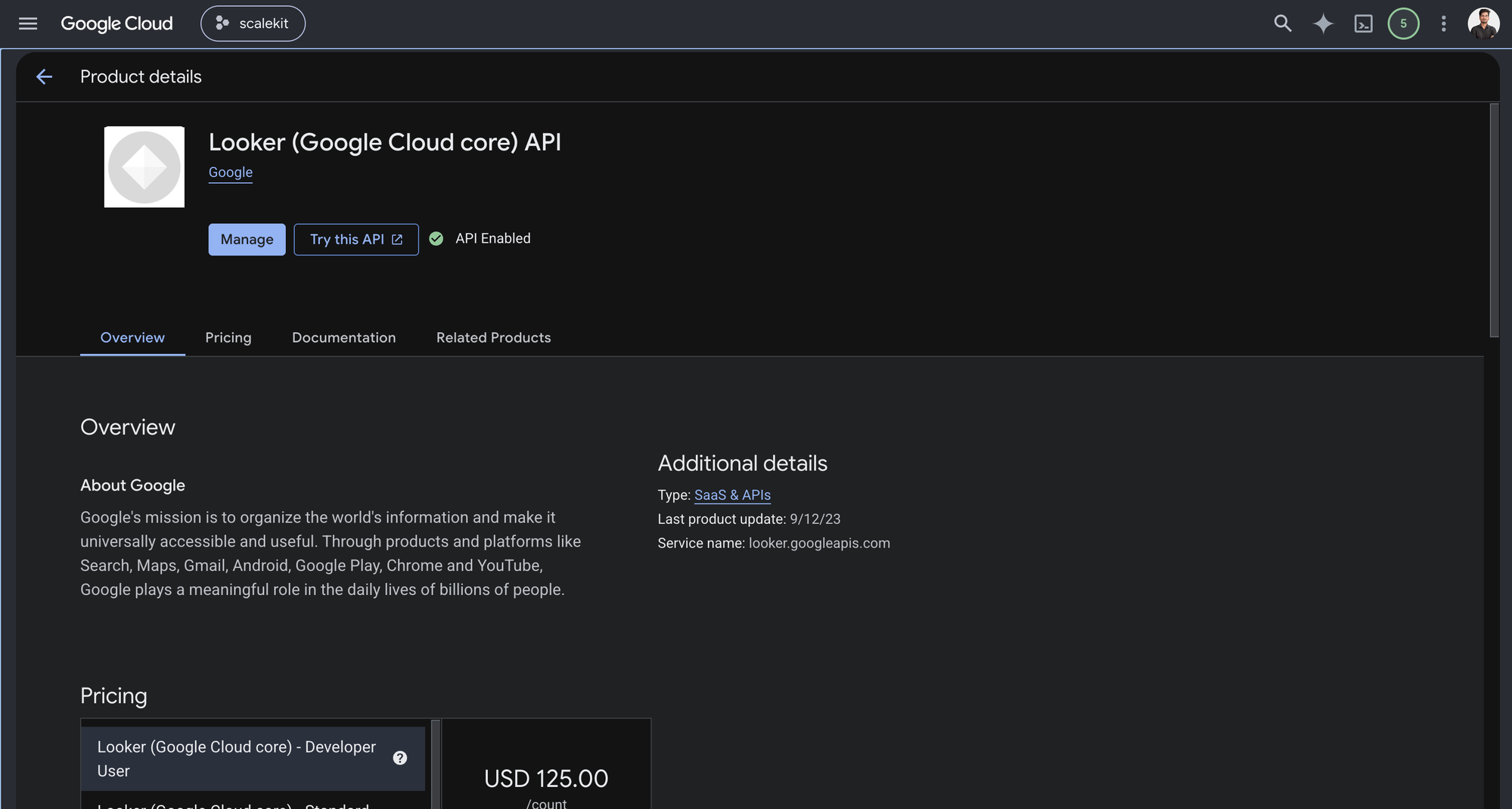
In Google Cloud Console, go to APIs & Services > Library. Search for “Looker (Google Cloud core) API” and click Enable.
-
-
Create OAuth credentials in Google Cloud Console
Google Looker uses Google OAuth 2.0. You need OAuth client credentials from the same Google Cloud project that hosts your Looker instance.
-
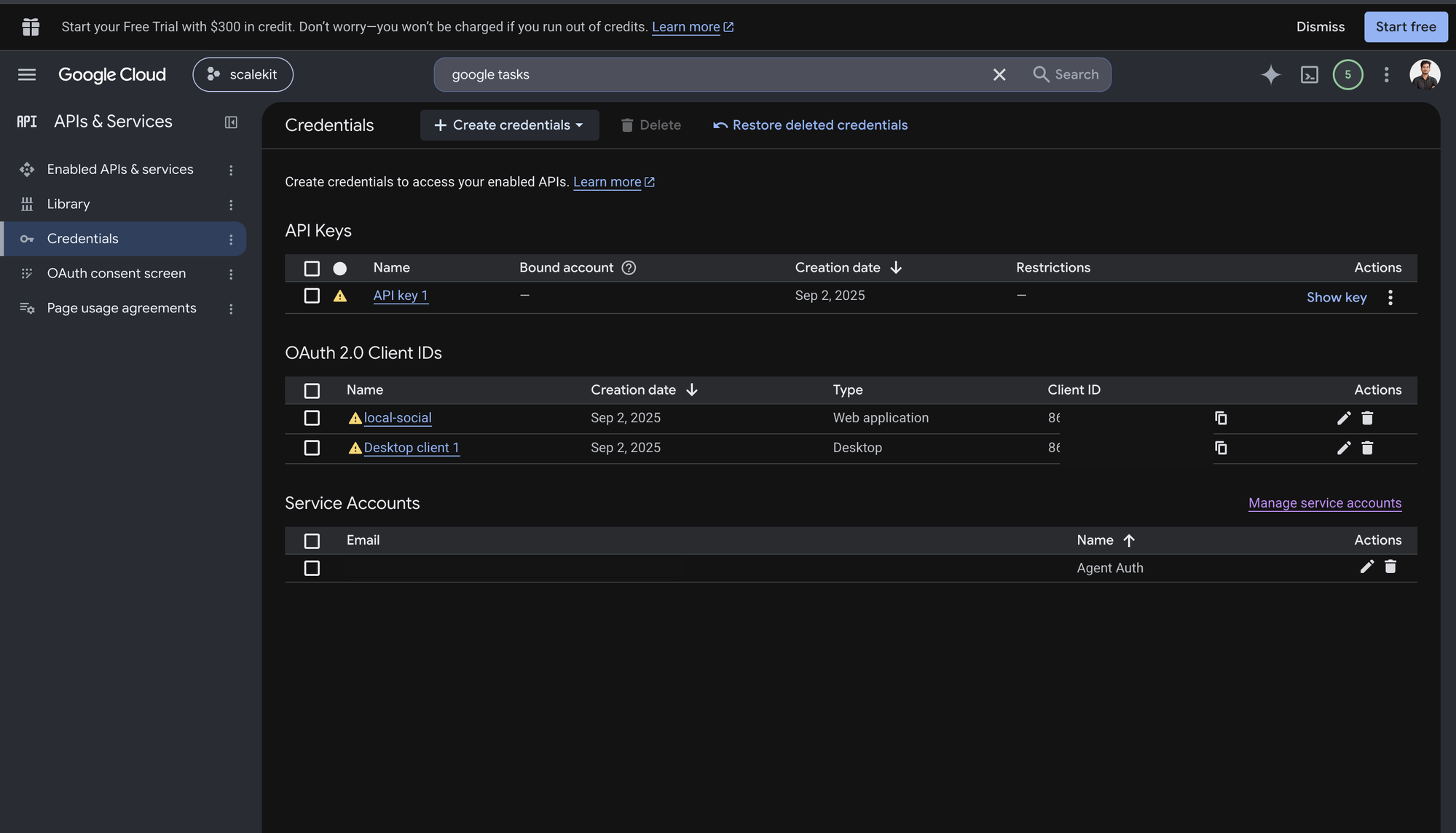
In Google Cloud Console, go to APIs & Services > Credentials.
-
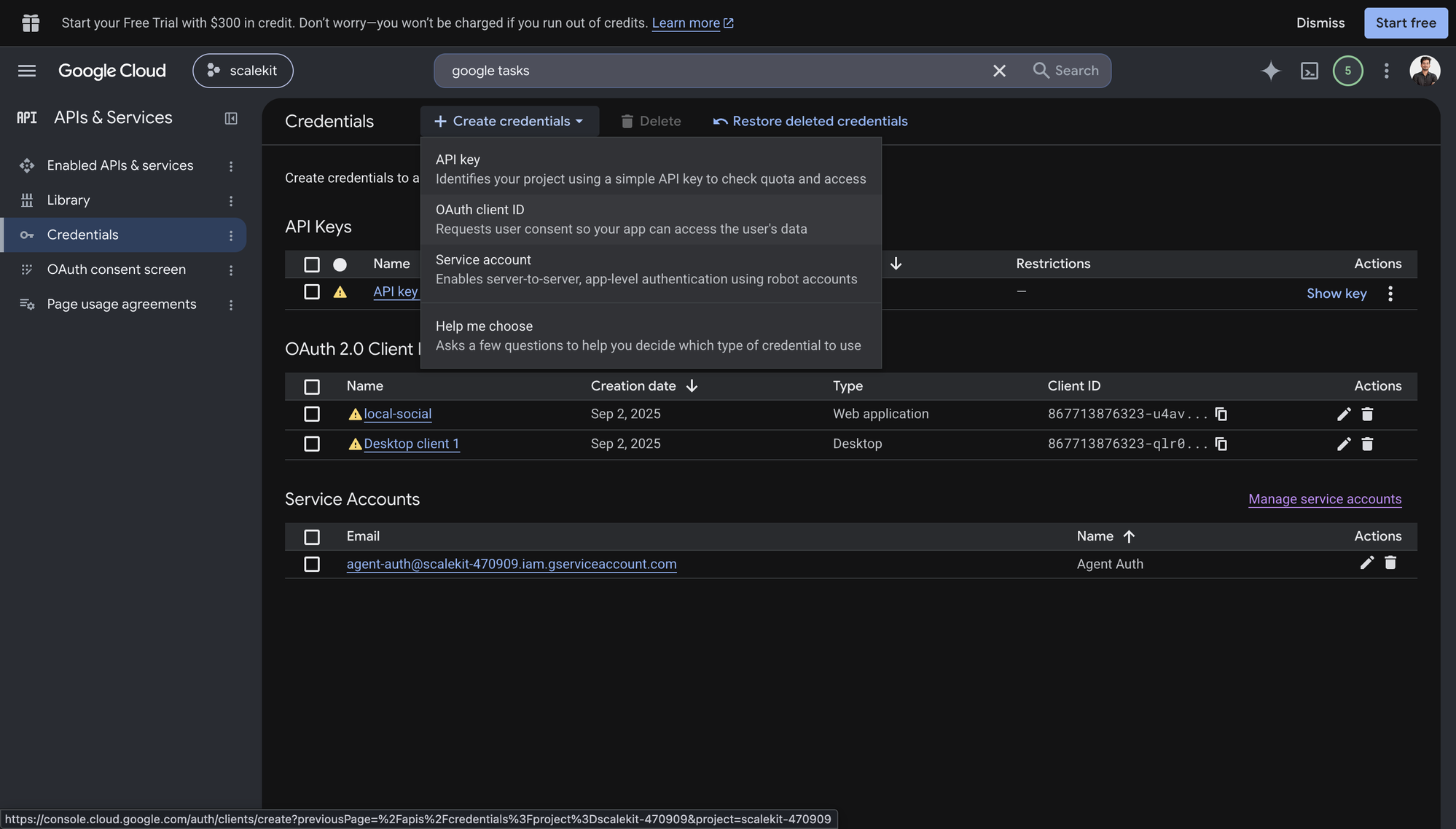
Click Create Credentials > OAuth client ID.
-
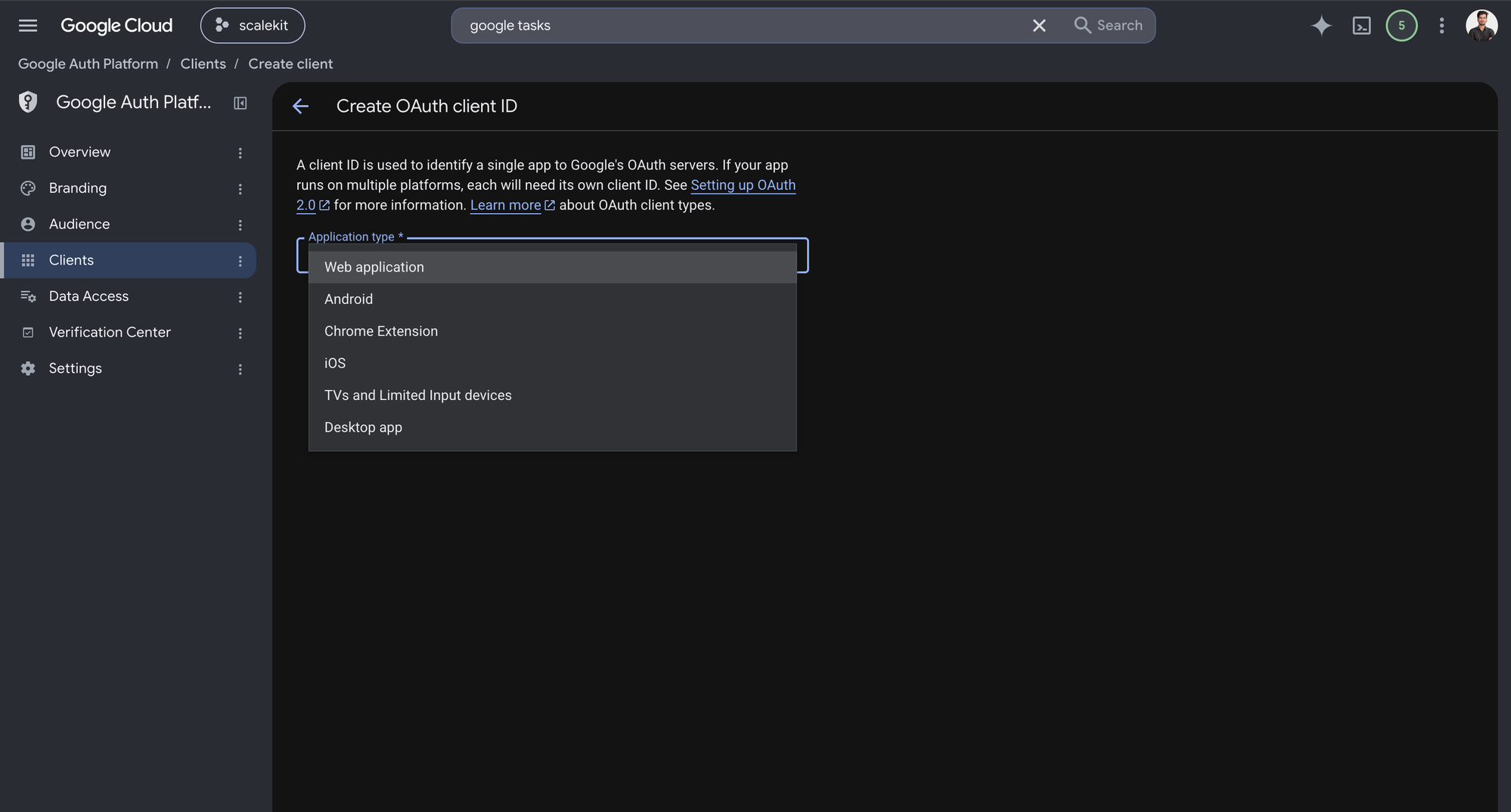
Select Web application as the application type.
-
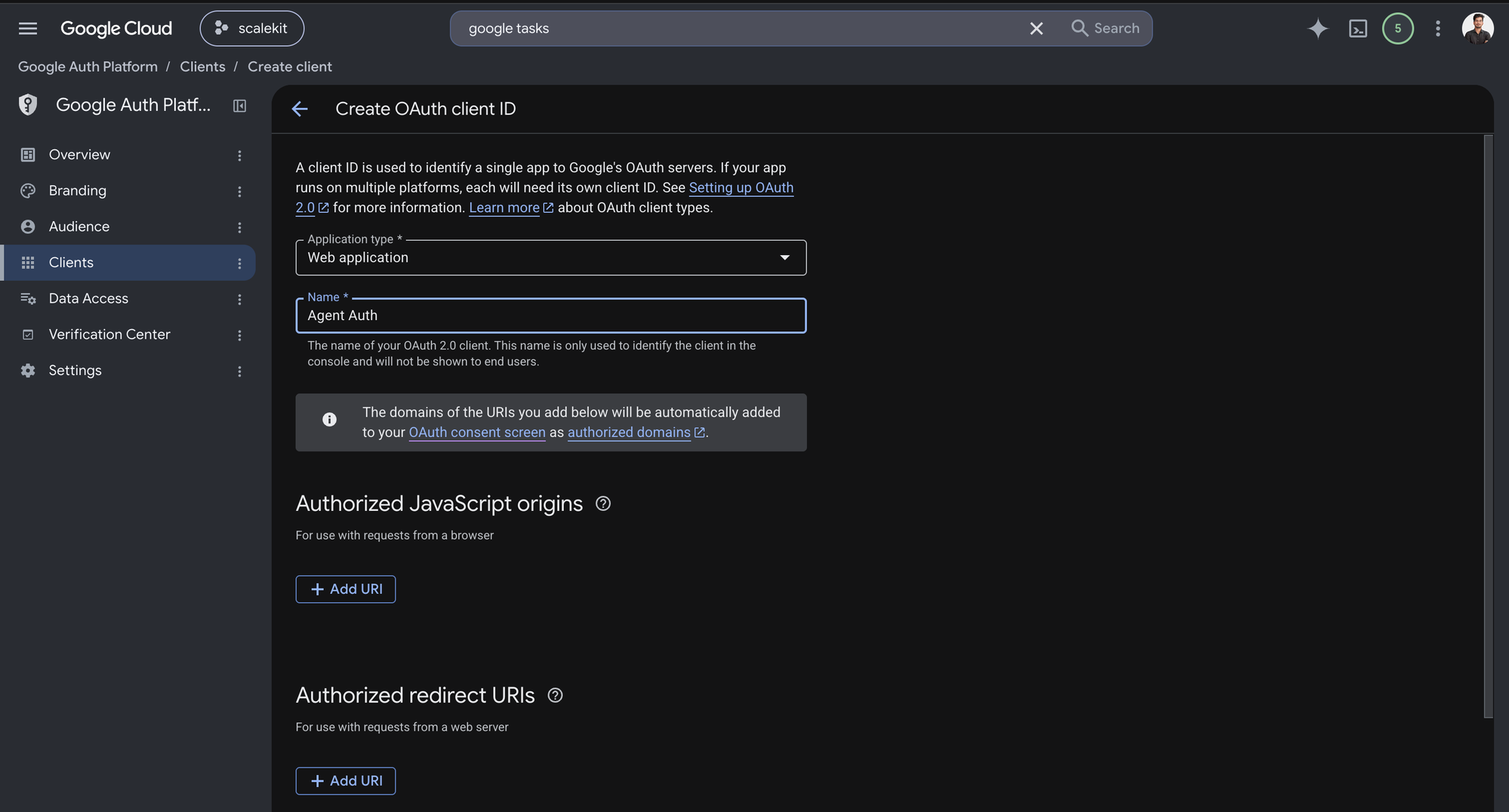
Copy the redirect URI from Scalekit (see next step) and paste it under Authorized redirect URIs.
-
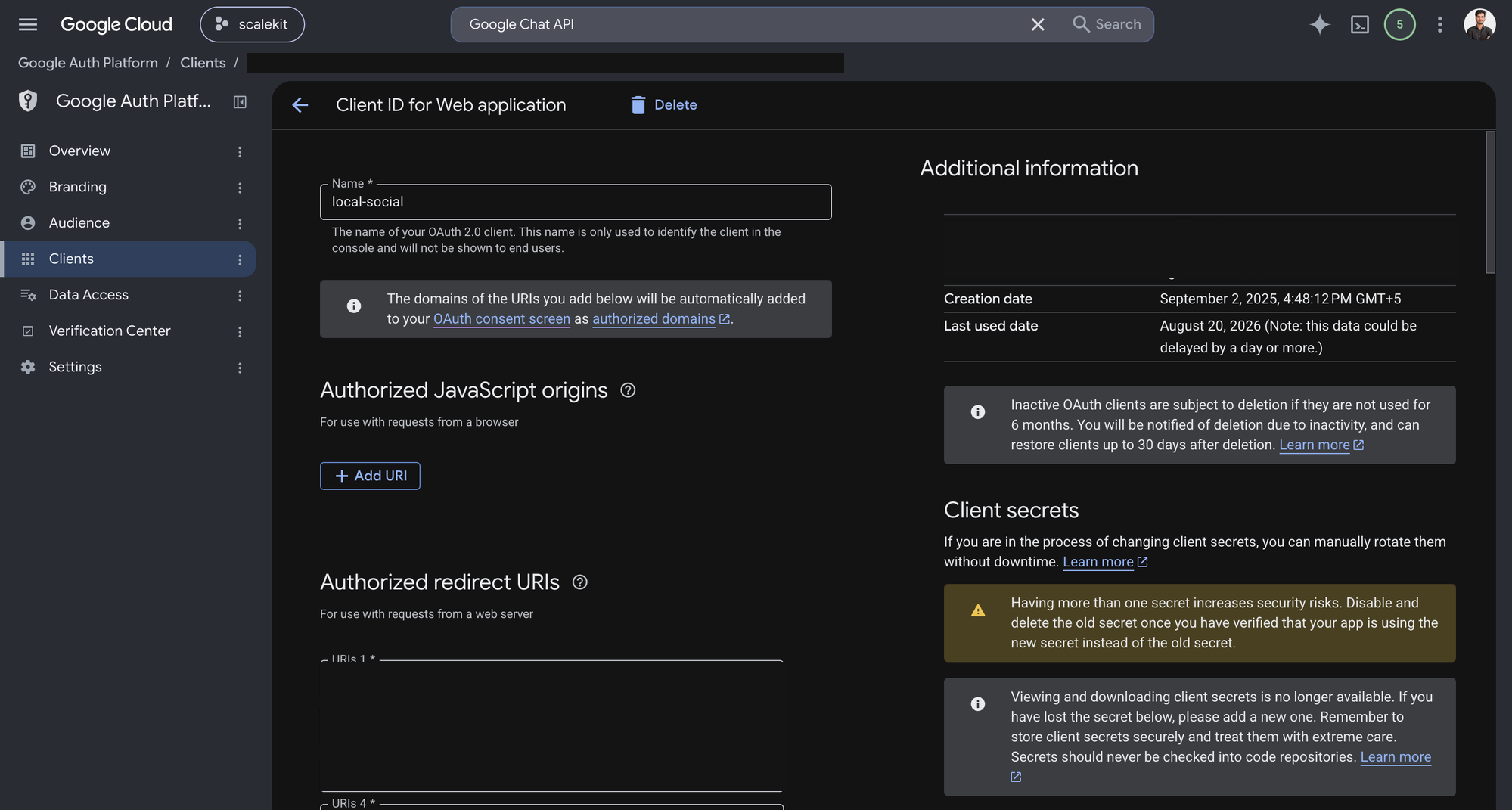
Click Create. Copy the Client ID and Client Secret.
-
-
Add credentials in Scalekit
-
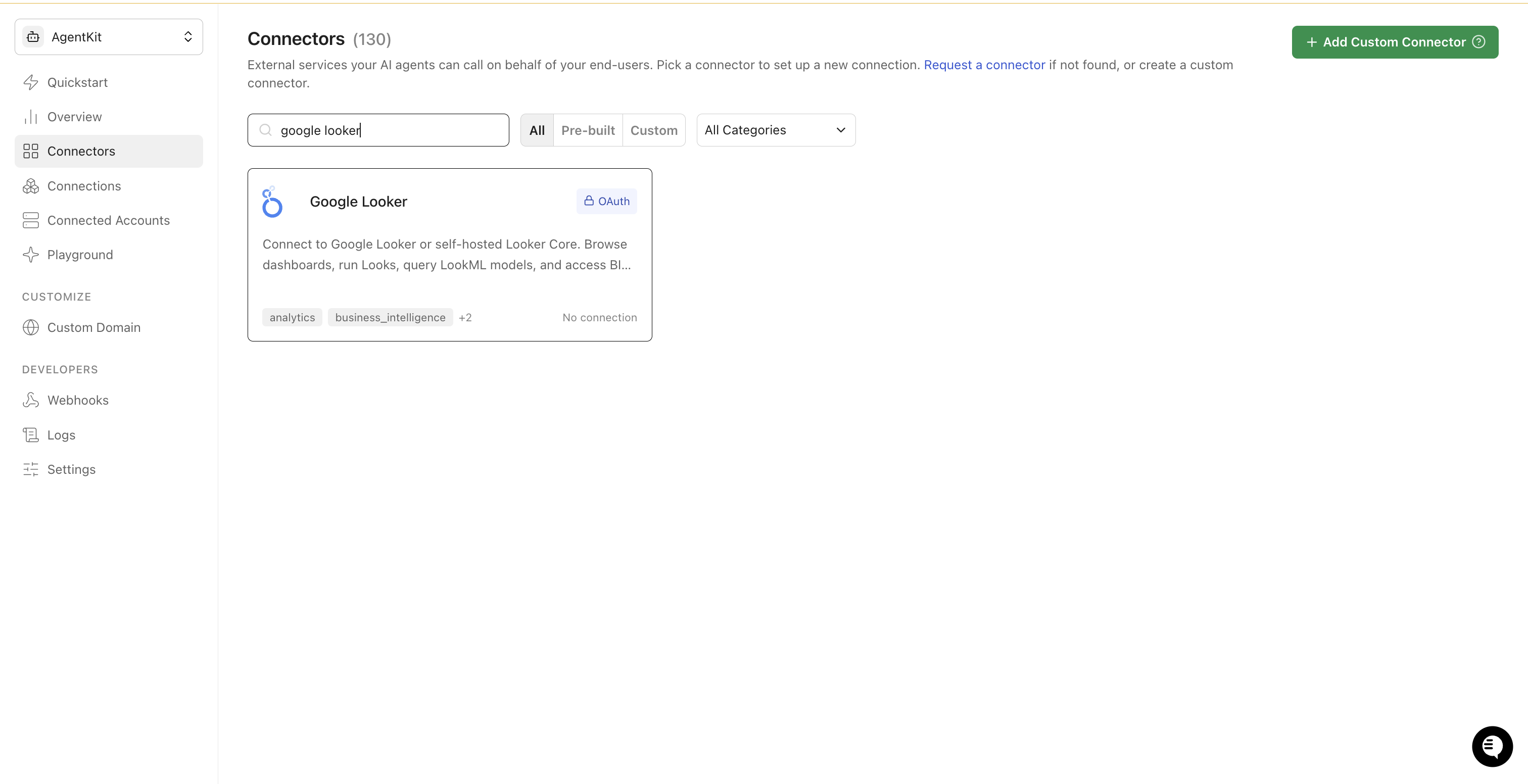
In Scalekit dashboard, go to AgentKit > Connections > Create Connection. Search for Google Looker and click Create.
-
Copy the Redirect URI shown on the configuration page. Go back to Google Cloud Console and add this URI to your OAuth client’s authorized redirect URIs.
-
Return to Scalekit and enter your credentials:
- Client ID (from Google Cloud Console)
- Client Secret (from Google Cloud Console)
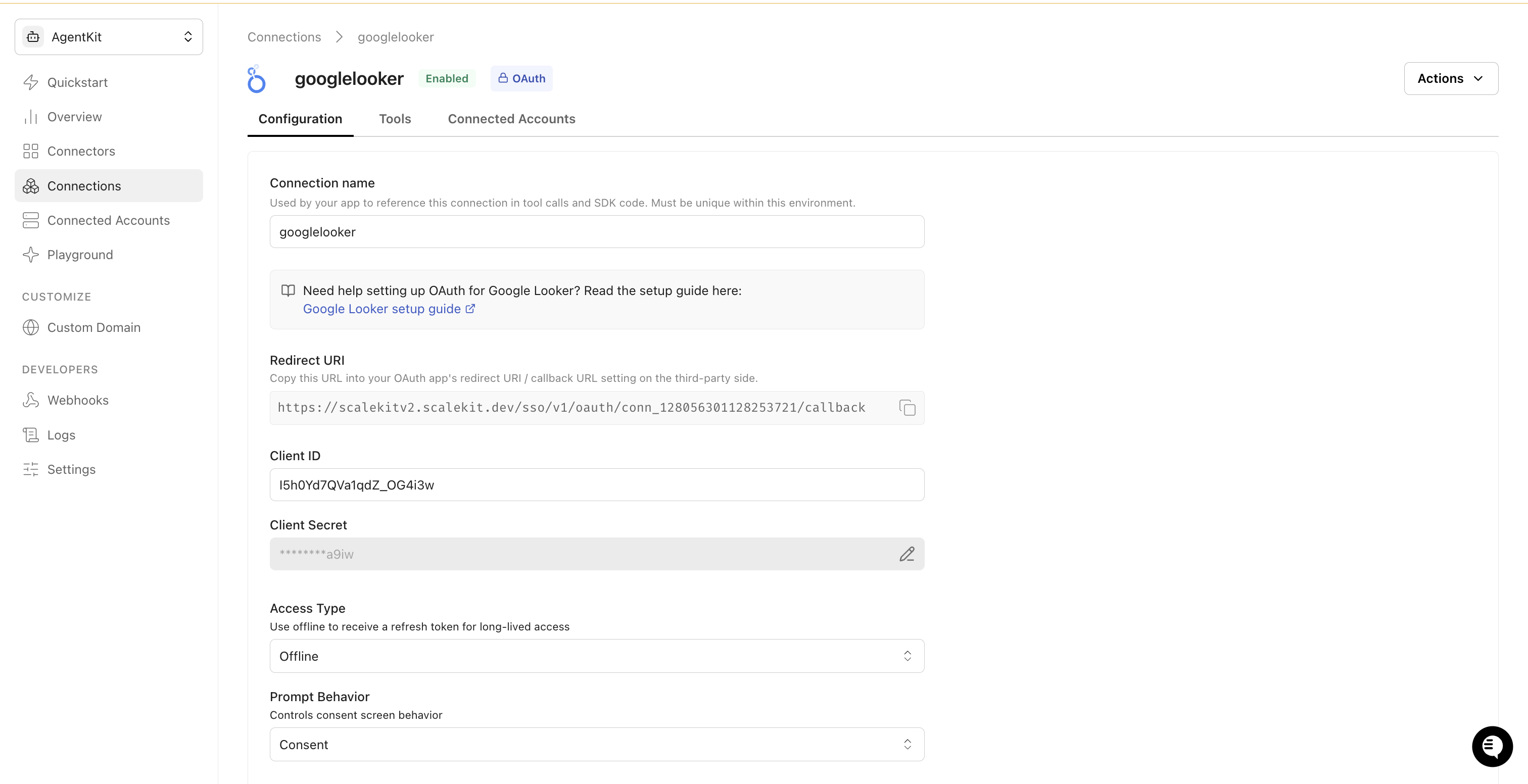
-
Keep Access Type set to Offline to receive a refresh token for long-lived access.
-
Click Save.
-
-
Add a connected account
Each end-user who connects their Looker instance needs a connected account. The Looker Instance Hostname is required — this is the hostname of the Looker instance the user is accessing (without
https://), for exampleyour-company.cloud.looker.com.Via the Scalekit dashboard (for testing)
- Go to Connected Accounts > Add Account.
- Enter the User ID and Looker Instance Hostname, then click Save.
- Complete the Google OAuth flow in the popup to authorize access.
Via the SDK (for production)
Generate an authorization link and redirect your user to it. After the user authorizes, Scalekit stores the token automatically.
const { link } = await scalekit.actions.getAuthorizationLink({connectionName: 'googlelooker',identifier: 'user_123',state: { instanceUrl: 'your-company.cloud.looker.com' },})// Redirect the user to `link` to complete OAuth
-
Authorize a user and make your first call
quickstart.mts import { ScalekitClient } from '@scalekit-sdk/node'import 'dotenv/config'import { createInterface } from 'node:readline/promises'const scalekit = new ScalekitClient(process.env.SCALEKIT_ENVIRONMENT_URL,process.env.SCALEKIT_CLIENT_ID,process.env.SCALEKIT_CLIENT_SECRET,)const actions = scalekit.actionsconst connector = 'googlelooker'const identifier = 'user_123'// Generate an authorization link for the userconst { link } = await actions.getAuthorizationLink({ connectionName: connector, identifier })console.log('Authorize Google Looker:', link)const rl = createInterface({ input: process.stdin, output: process.stdout })await rl.question('Press Enter after authorizing...')rl.close()// Make your first callconst result = await actions.executeTool({connector,identifier,toolName: 'googlelooker_get_current_user',toolInput: {},})console.log(result)Terminal window npx tsx quickstart.mtsquickstart.py import osfrom scalekit import ScalekitClientfrom dotenv import load_dotenvload_dotenv()scalekit_client = ScalekitClient(env_url=os.getenv("SCALEKIT_ENVIRONMENT_URL"),client_id=os.getenv("SCALEKIT_CLIENT_ID"),client_secret=os.getenv("SCALEKIT_CLIENT_SECRET"),)actions = scalekit_client.actionsconnection_name = "googlelooker"identifier = "user_123"# Generate an authorization link for the userlink_response = actions.get_authorization_link(connection_name=connection_name,identifier=identifier,)print("Authorize Google Looker:", link_response.link)input("Press Enter after authorizing...")# Make your first callresult = actions.execute_tool(tool_input={},tool_name="googlelooker_get_current_user",connection_name=connection_name,identifier=identifier,)print(result)Terminal window python quickstart.pyEach user signs in once. See Authorize a user for the full flow and statuses.
Tools
Pass the exact name toexecute_toolgooglelooker_get_current_userRetrieve the profile of the currently authenticated Looker user, including their ID, display name, email, and role IDs.Read-onlyGet Current User
Retrieve the profile of the currently authenticated Looker user, including their ID, display name, email, and role IDs.
Inputs
fieldsstring- Comma-separated list of user fields to include in the response
googlelooker_get_dashboardRetrieve the full metadata of a Looker dashboard by its ID, including all tile definitions (charts, tables, text, filters), layout, linked Looks, and underlying queries.Read-onlyGet Dashboard
Retrieve the full metadata of a Looker dashboard by its ID, including all tile definitions (charts, tables, text, filters), layout, linked Looks, and underlying queries.
Inputs
dashboard_idstringrequired- The ID of the Looker dashboard to retrieve
fieldsstring- Comma-separated list of dashboard fields to include in the response
googlelooker_get_folderRetrieve a single folder by ID, including its name, parent folder, creator, and content counts.Read-onlyGet Folder
Retrieve a single folder by ID, including its name, parent folder, creator, and content counts. Use List Folders first to find a folder ID.
Inputs
folder_idstringrequired- The ID of the folder to retrieve
fieldsstring- Comma-separated list of folder fields to include in the response
googlelooker_get_lookRetrieve the metadata and definition of a saved Look by its ID: title, description, folder, owner, and underlying query ID.Read-onlyGet Look
Retrieve the metadata and definition of a saved Look by its ID: title, description, folder, owner, and underlying query ID. Use Get Look Results or Run Look to execute it and fetch data.
Inputs
look_idstringrequired- The numeric ID of the Look to retrieve
fieldsstring- Comma-separated list of Look fields to include in the response
googlelooker_get_look_resultsRun a saved Look and return results in the specified format.Read-onlyGet Look Results
Run a saved Look and return results in the specified format. Executes the Look's underlying query against the connected database. Use result_format to control the output: json for structured data, csv for tabular export, xlsx for Excel.
Inputs
look_idstringrequired- The numeric ID of the Look to fetch results from
result_formatstringrequired- Desired output format for results. Accepted values: json, json_detail, json_bi, csv, txt, html, md, xlsx, sql, png, jpg
apply_formattingboolean- Apply model-specified formatting to each result value
apply_visboolean- Apply visualization options to results
cacheboolean- Get results from cache if available. Set to false to force a fresh database query.
cache_onlyboolean- Retrieve any results from cache even if expired
force_productionboolean- Override development mode settings to force use of production models
generate_drill_linksboolean- Generate drill links for json_detail format
image_heightinteger- Render height for image formats (png, jpg)
image_widthinteger- Render width for image formats (png, jpg)
limitinteger- Maximum number of rows to return. May override the limit in the saved query.
path_prefixstring- Prefix to use for drill links (URL encoded)
rebuild_pdtsboolean- Rebuild Persistent Derived Tables (PDTs) used in the query
server_table_calcsboolean- Perform table calculations on query results server-side
googlelooker_get_queryRetrieve the definition of a previously created query by its ID: the model, explore, fields, filters, sorts, and row limit it was defined with.Read-onlyGet Query
Retrieve the definition of a previously created query by its ID: the model, explore, fields, filters, sorts, and row limit it was defined with. Use Run Query to execute it and fetch data, or Create Look to save it as a Look.
Inputs
query_idstringrequired- The ID of the query to retrieve
fieldsstring- Comma-separated list of query fields to include in the response
googlelooker_get_scheduled_planRetrieve a single Scheduled Plan by ID: its schedule (crontab/datagroup), destinations, and the dashboard, Look, LookML dashboard, or query it delivers.Read-onlyGet Scheduled Plan
Retrieve a single Scheduled Plan by ID: its schedule (crontab/datagroup), destinations, and the dashboard, Look, LookML dashboard, or query it delivers.
Inputs
scheduled_plan_idstringrequired- The ID of the scheduled plan to retrieve
fieldsstring- Comma-separated list of scheduled plan fields to include in the response
googlelooker_list_dashboardsList all dashboards in a Looker instance that the caller has access to.Read-onlyList Dashboards
List all dashboards in a Looker instance that the caller has access to. Returns dashboard metadata including ID, title, folder, description, and last updated time.
Inputs
fieldsstring- Comma-separated list of dashboard fields to include in the response
googlelooker_list_exploresRetrieve a LookML model by name.Read-onlyList Explores
Retrieve a LookML model by name. The response includes an explores array listing all available explores in that model. Use fields=explores to limit the response to just explore metadata.
Inputs
model_namestringrequired- The LookML model name to retrieve explores for
fieldsstring- Comma-separated list of model fields to include in the response
googlelooker_list_foldersList all folders (spaces) in the Looker instance including personal folders.Read-onlyList Folders
List all folders (spaces) in the Looker instance including personal folders. Returns folder ID, name, parent folder, creator, and content counts. Use folder IDs to filter Looks and Dashboards by location.
Inputs
fieldsstring- Comma-separated list of folder fields to include in the response
googlelooker_list_looksList all Looks the caller has access to.Read-onlyList Looks
List all Looks the caller has access to. Returns Look metadata including ID, title, folder, owner, and last run time. Soft-deleted Looks are excluded.
Inputs
fieldsstring- Comma-separated list of Look fields to include in the response
limitinteger- Maximum number of Looks to return
offsetinteger- Number of results to skip before returning any
sortsstring- Comma-separated list of fields to sort results by
googlelooker_list_modelsList all available LookML models in the Looker instance.Read-onlyList Models
List all available LookML models in the Looker instance. Returns each model's name, project, allowed database connections, and explore count. Use this to discover which models and explores are available before running queries.
Inputs
fieldsstring- Comma-separated list of model fields to include in the response
googlelooker_list_scheduled_plansList Scheduled Plans.Read-onlyList Scheduled Plans
List Scheduled Plans. By default returns the plans owned by the calling user; set all_users to true (requires admin permission) to list scheduled plans for every user in the instance.
Inputs
all_usersboolean- Return scheduled plans for all users instead of just the caller
fieldsstring- Comma-separated list of scheduled plan fields to include in the response
user_idstring- Return only scheduled plans owned by this user ID
googlelooker_run_inline_queryExecute an ad-hoc query against a LookML model and explore without saving it as a Look.Read-onlyRun Inline Query
Execute an ad-hoc query against a LookML model and explore without saving it as a Look. Specify fields, filters, sorts, and a row limit. Useful for one-off analysis and agent-driven data exploration. Complex queries may take longer; 120s timeout applied.
Inputs
fieldsstringrequired- Comma-separated list of LookML field names to include (e.g., orders.count,orders.total_revenue)
modelstringrequired- The LookML model name to query against
result_formatstringrequired- Output format for the query results. Accepted values: json, json_detail, json_bi, csv, txt, html, md, xlsx, sql, png, jpg
viewstringrequired- The explore (view) name within the model to query
filtersobject- Filter conditions as a JSON object (field_name: filter_value pairs)
limitinteger- Maximum number of rows to return from the query
sortsstring- Comma-separated list of sort fields with optional direction (e.g., orders.total_revenue desc)
googlelooker_run_lookRun a saved Look and return the results in the specified format.Read-onlyRun Look
Run a saved Look and return the results in the specified format. Executes the Look's underlying query against the connected database and returns the current data.
Inputs
look_idstringrequired- The numeric ID of the Look to run
result_formatstringrequired- Desired output format for results. Accepted values: json, json_detail, csv, txt, html, md, xlsx, sql, png, jpg
apply_formattingboolean- Apply model-specified formatting to each result value
apply_visboolean- Apply visualization options to results
cacheboolean- Get results from cache if available. Set to false to force a fresh database query.
cache_onlyboolean- Retrieve any results from cache even if expired
force_productionboolean- Override development mode settings to force use of production models
generate_drill_linksboolean- Generate drill links for json_detail format
image_heightinteger- Render height for image formats (png, jpg)
image_widthinteger- Render width for image formats (png, jpg)
limitinteger- Maximum number of rows to return. May override the limit in the saved query.
path_prefixstring- Prefix to use for drill links (URL encoded)
rebuild_pdtsboolean- Rebuild Persistent Derived Tables (PDTs) used in the query
server_table_calcsboolean- Perform table calculations on query results server-side
googlelooker_run_queryExecute a previously saved query (created with Create Query) by its query ID and return results in the specified format.Read-onlyRun Query
Execute a previously saved query (created with Create Query) by its query ID and return results in the specified format. Cheaper than Run Inline Query when re-running the same query definition repeatedly.
Inputs
query_idstringrequired- The ID of the saved query to run
result_formatstringrequired- Desired output format for results. Accepted values: json, json_detail, json_bi, csv, txt, html, md, xlsx, sql, png, jpg
cacheboolean- Get results from cache if available. Set to false to force a fresh database query.
limitinteger- Maximum number of rows to return. Overrides the limit baked into the saved query.
googlelooker_search_dashboardsSearch dashboards by title, description, or folder instead of listing every dashboard in the instance.Read-onlySearch Dashboards
Search dashboards by title, description, or folder instead of listing every dashboard in the instance. Useful for finding a specific dashboard when there are too many to browse.
Inputs
fieldsstring- Comma-separated list of dashboard fields to include in the response
folder_idstring- Restrict the search to dashboards in this folder
limitinteger- Maximum number of dashboards to return
offsetinteger- Number of results to skip before returning any
titlestring- Filter dashboards whose title matches this value. Supports wildcards with %.
googlelooker_search_looksSearch Looks by title or folder instead of listing every Look in the instance.Read-onlySearch Looks
Search Looks by title or folder instead of listing every Look in the instance. Useful for finding a specific Look when there are too many to browse.
Inputs
fieldsstring- Comma-separated list of Look fields to include in the response
folder_idstring- Restrict the search to Looks in this folder
limitinteger- Maximum number of Looks to return
offsetinteger- Number of results to skip before returning any
titlestring- Filter Looks whose title matches this value. Supports wildcards with %.
googlelooker_create_dashboardCreate a new, empty Looker dashboard.WriteCreate Dashboard
Create a new, empty Looker dashboard. Requires a title and the ID of the folder it should live in; a dashboard's title must be unique within that destination folder. Add tiles afterward from the Looker UI or the dashboard element APIs.
Inputs
folder_idstringrequired- ID of the folder this dashboard should be created in
titlestringrequired- Title for the new dashboard
background_colorstring- Background color for the dashboard, as a hex string
crossfilter_enabledboolean- Enable cross-filtering between tiles on this dashboard
descriptionstring- Optional description of the dashboard
googlelooker_create_folderCreate a new folder (space) to organize dashboards and Looks.WriteCreate Folder
Create a new folder (space) to organize dashboards and Looks. Provide a parent_id to nest it under an existing folder; omit it to create a root-level folder (permissions permitting). The folder name must be unique among its siblings.
Inputs
namestringrequired- Name for the new folder
parent_idstring- ID of the parent folder to nest this folder under
googlelooker_create_lookSave a query as a new Look so it can be revisited, shared, and run with Run Look.WriteCreate Look
Save a query as a new Look so it can be revisited, shared, and run with Run Look. Create the underlying query first with Create Query, then pass its query ID here.
Inputs
query_idstringrequired- The ID of the query this Look should run
titlestringrequired- Title for the new Look
descriptionstring- Optional description of the Look
folder_idstring- Folder to save the Look into. Defaults to the user's personal folder.
googlelooker_create_queryDefine and persist a query against a LookML model and explore, without running it.WriteCreate Query
Define and persist a query against a LookML model and explore, without running it. Returns a query ID (and slug) you can execute repeatedly with Run Query or attach to a new Look with Create Look, instead of resending the full query definition each time.
Inputs
fieldsstringrequired- Comma-separated list of LookML field names to include (e.g., orders.count,orders.total_revenue)
modelstringrequired- The LookML model name to query against
viewstringrequired- The explore (view) name within the model to query
filtersobject- Filter conditions as a JSON object (field_name: filter_value pairs)
limitinteger- Maximum number of rows the query returns when run
sortsstring- Comma-separated list of sort fields with optional direction (e.g., orders.total_revenue desc)
googlelooker_create_scheduled_planCreate a recurring (or one-shot) Scheduled Plan that runs a dashboard, Look, LookML dashboard, or query and delivers the results to one or more destinations (email, webhook, S3, SFTP, etc).WriteCreate Scheduled Plan
Create a recurring (or one-shot) Scheduled Plan that runs a dashboard, Look, LookML dashboard, or query and delivers the results to one or more destinations (email, webhook, S3, SFTP, etc). Set exactly one of dashboard_id, look_id, lookml_dashboard_id, or query_id as the content to deliver, and provide a crontab or datagroup to control when it runs.
Inputs
namestringrequired- Name of this scheduled plan
scheduled_plan_destinationarrayrequired- Array of destination objects describing where and how to deliver the results
crontabstring- Vixie-style crontab specifying when this plan runs
dashboard_idstring- ID of the dashboard this plan should run and deliver
enabledboolean- Whether this scheduled plan is enabled
filters_stringstring- Query string of filter values to run the dashboard or Look with
look_idstring- ID of the Look this plan should run and deliver
lookml_dashboard_idstring- ID (slug) of the LookML dashboard this plan should run and deliver
query_idstring- ID of the saved query this plan should run and deliver
require_changeboolean- Only deliver when the results changed since the last run
require_no_resultsboolean- Only deliver when the dashboard or Look returns no results
require_resultsboolean- Only deliver when the dashboard or Look returns results
run_onceboolean- Whether this plan should run only once and then disable itself
timezonestring- IANA timezone used to interpret the crontab
googlelooker_run_scheduled_plan_onceImmediately run an existing, already-saved Scheduled Plan one time and deliver it to its configured destinations, without waiting for its next scheduled occurrence and without changing that schedule.WriteRun Scheduled Plan Once
Immediately run an existing, already-saved Scheduled Plan one time and deliver it to its configured destinations, without waiting for its next scheduled occurrence and without changing that schedule. Optionally override the query filters for just this one run.
Inputs
scheduled_plan_idstringrequired- The ID of the scheduled plan to run immediately
filters_stringstring- Query string of filter values to use for just this one run, overriding the plan's saved filters
googlelooker_update_dashboardUpdate one or more scalar fields on an existing Looker dashboard by ID (title, folder, description, colors, or soft-delete state).WriteUpdate Dashboard
Update one or more scalar fields on an existing Looker dashboard by ID (title, folder, description, colors, or soft-delete state). Only the fields provided are changed. This cannot modify nested tiles, filters, or layout components — use the dashboard element APIs for those.
- Idempotent
Inputs
dashboard_idstringrequired- The ID of the Looker dashboard to update
background_colorstring- New background color for the dashboard, as a hex string
crossfilter_enabledboolean- Enable or disable cross-filtering between tiles on this dashboard
deletedboolean- Set the dashboard's soft-deleted (trashed) state
descriptionstring- New description for the dashboard
folder_idstring- Move the dashboard to this folder ID
titlestring- New title for the dashboard
googlelooker_update_folderRename a folder or move it under a different parent folder.WriteUpdate Folder
Rename a folder or move it under a different parent folder. Only the fields provided are changed.
- Idempotent
Inputs
folder_idstringrequired- The ID of the folder to update
namestring- New name for the folder
parent_idstring- Move the folder under this parent folder ID
googlelooker_update_lookUpdate one or more fields on an existing Look by ID: retitle it, move it to a different folder, point it at a different saved query, or soft-delete/restore it via the deleted flag.WriteUpdate Look
Update one or more fields on an existing Look by ID: retitle it, move it to a different folder, point it at a different saved query, or soft-delete/restore it via the deleted flag. Only the fields provided are changed.
- Idempotent
Inputs
look_idstringrequired- The numeric ID of the Look to update
deletedboolean- Set the Look's soft-deleted state
descriptionstring- New description for the Look
folder_idstring- Move the Look to this folder ID
query_idstring- Point this Look at a different query ID
titlestring- New title for the Look
googlelooker_delete_dashboardPermanently delete a Looker dashboard by ID.DestructiveDelete Dashboard
Permanently delete a Looker dashboard by ID. If the dashboard has not already been soft-deleted (trashed via Update Dashboard's deleted flag), your Looker instance may require that step first depending on configuration. This action cannot be undone.
- Idempotent
Inputs
dashboard_idstringrequired- The ID of the Looker dashboard to delete
googlelooker_delete_folderPermanently delete a folder by ID, along with all Looks and dashboards it directly contains.DestructiveDelete Folder
Permanently delete a folder by ID, along with all Looks and dashboards it directly contains. This action cannot be undone — make sure nothing of value remains in the folder before deleting.
- Idempotent
Inputs
folder_idstringrequired- The ID of the folder to delete
googlelooker_delete_lookPermanently delete a Look by ID.DestructiveDelete Look
Permanently delete a Look by ID. This is a hard delete with no undo — unlike removing a Look from the Looker UI (which soft-deletes it), this call destroys the Look data immediately. To soft-delete instead, use Update Look with deleted set to true.
- Idempotent
Inputs
look_idstringrequired- The numeric ID of the Look to delete
googlelooker_delete_scheduled_planPermanently delete a Scheduled Plan by ID, stopping all future scheduled deliveries.DestructiveDelete Scheduled Plan
Permanently delete a Scheduled Plan by ID, stopping all future scheduled deliveries. This action cannot be undone.
- Idempotent
Inputs
scheduled_plan_idstringrequired- The ID of the scheduled plan to delete
No tools match.
Workflows
Google OAuth consent screen verification
Before you use your own Google OAuth credentials in production, understand what end users see on Google’s consent screen when they authorize a connected account.
| Audience type | Consent screen behavior | When to use |
|---|---|---|
| Internal | Shows your App Name and logo from Branding settings | Only users in your Google Workspace or Cloud Identity organization can authorize the connector |
| External | Shows {env_name}.scalekit.dev until Google verifies your app | Any user with a Google account can authorize the connector |
Why External is required for most AgentKit connectors:
- Internal restricts authorization to users in your Google Workspace or Cloud Identity organization. Users with
@gmail.comor other Google accounts outside your organization cannot complete OAuth. - External is required when end users outside your organization authorize tool access through connected accounts.
- Organization-managed OAuth clients follow the same rules as personal or developer OAuth clients. Switching to an org-owned client does not bypass Google verification.
- Until Google completes verification of your External app, users see
scalekit.devon the consent screen. After verification, your App Name and logo appear.
During development:
- Add Test users under APIs & Services → OAuth consent screen while publishing status is Testing.
- On unverified apps, users can click Advanced → Go to app (unsafe) to proceed during testing.
- Google Workspace admins may need to allowlist your OAuth client.
For Google’s verification requirements and timeline, refer to Google’s OAuth consent screen verification guide.