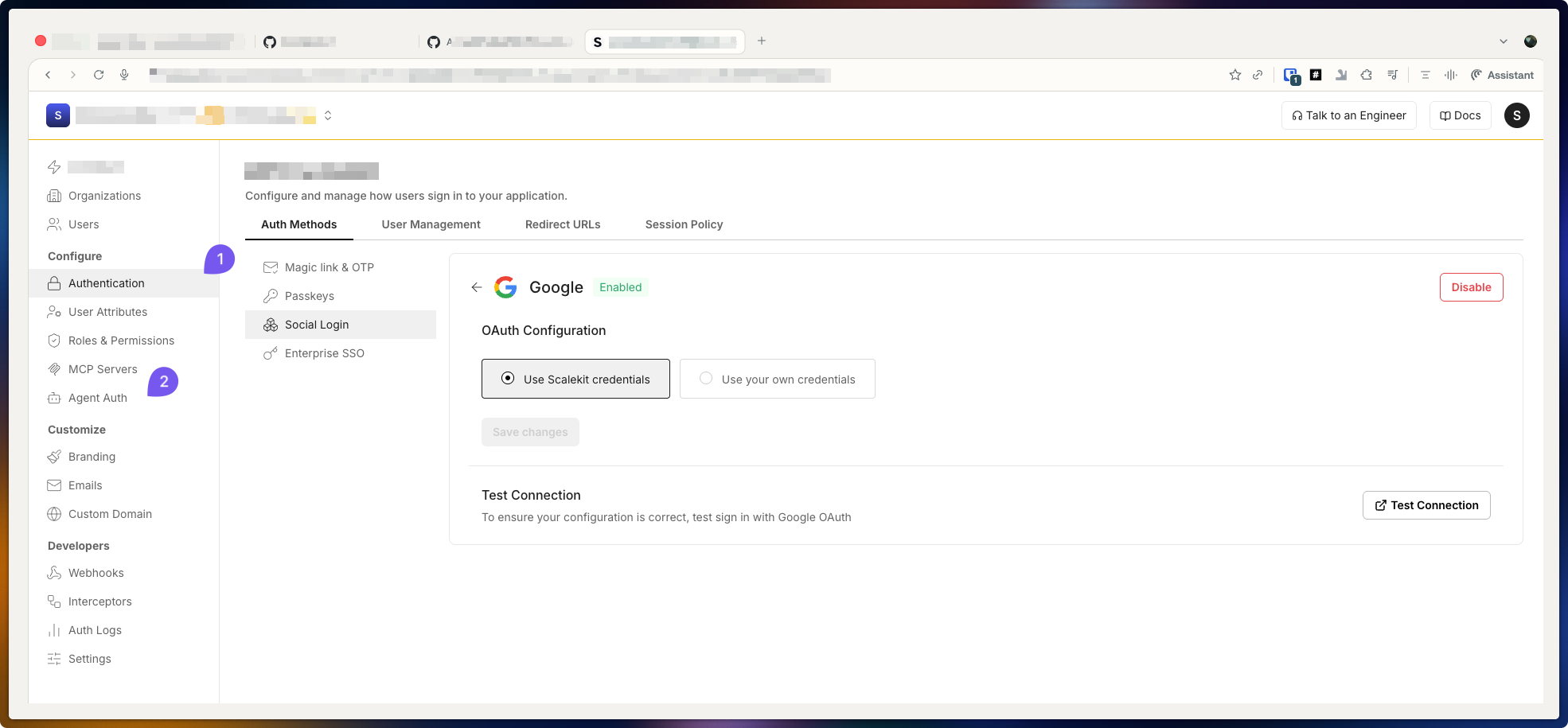
Use Scalekit credentials
Use Scalekit-managed test accounts to validate social logins and agent tool connections without configuring your own provider credentials.
Scalekit provides development environments that let you test your authentication flows end to end. Flows that depend on third-party providers—such as social logins with Google or tool connections like HubSpot—normally require you to configure your own OAuth apps and test with real user accounts.
Configuring each provider and managing test accounts is time-consuming. Scalekit credentials let you use provider-specific test accounts that Scalekit manages for you, so you can skip most of the provider setup and focus on your application logic.
Scalekit manages the OAuth apps and test accounts for supported providers. When you enable Scalekit credentials for a connection, Scalekit:
- Uses its own client IDs, secrets, and test accounts for that provider
- Handles the provider-side login or authorization on your behalf
- Returns tokens and user data to your application as if a real user had completed the flow
Your application receives the same type of responses it would receive from a fully configured production integration, but without requiring you to manage provider configuration during development.
Use Scalekit credentials for agent tool connections
Section titled “Use Scalekit credentials for agent tool connections”To use Scalekit credentials for agent tool connections:
- Open Scalekit Dashboard → Agent tool connections
- Choose a tool connection (for example, HubSpot)
- Select Use Scalekit credentials
The next tool invocation for that connection automatically uses the Scalekit-managed credentials and lets you make tool calls without configuring your own OAuth app or test account.
Use Scalekit credentials for social connections
Section titled “Use Scalekit credentials for social connections”To use Scalekit credentials for social login providers:
- Open Scalekit Dashboard → Authentication → Auth methods → Social login
- Choose a social provider (for example, Google or Microsoft)
- Select Use Scalekit credentials
The next social login for that provider automatically uses the Scalekit-managed credentials and lets you complete login flows without maintaining separate test identities or local OAuth configurations.