

Manage applications
Register and manage applications in your shared authentication system
Register and manage applications in Scalekit. Each application gets its own OAuth client and configuration while sharing the same underlying user session across your web, mobile, and desktop apps.
-
Navigate to Applications
Section titled “Navigate to Applications”- Sign in to https://app.scalekit.com
- From the left sidebar, go to Developers > Applications
You will see a list of applications already created for the selected environment.
-
Create a new application
Section titled “Create a new application”Click Create Application to add a new app. You’ll be asked to provide:
- Application name — A human-readable name for identifying the app
- Application type — Determines how authentication and credentials work
Available application types:
- Web Application — Server-side applications that can securely store secrets
- Single Page Application (SPA) — Browser-based applications; public clients with PKCE enforced
- Native Application — Desktop or mobile apps; public clients with PKCE enforced
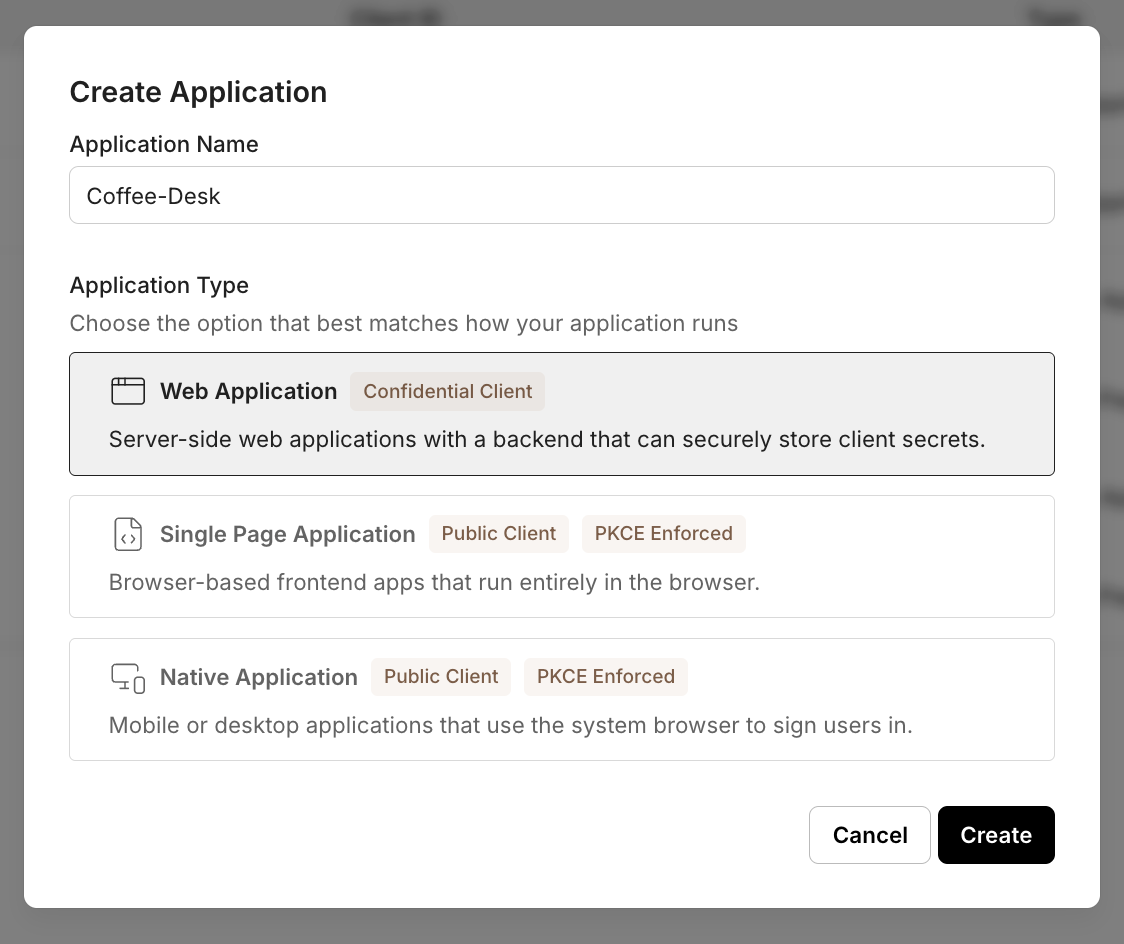
Once created, Scalekit generates a Client ID. Only Web Applications can generate Client Secrets.
-
Application configuration
Section titled “Application configuration”Application details
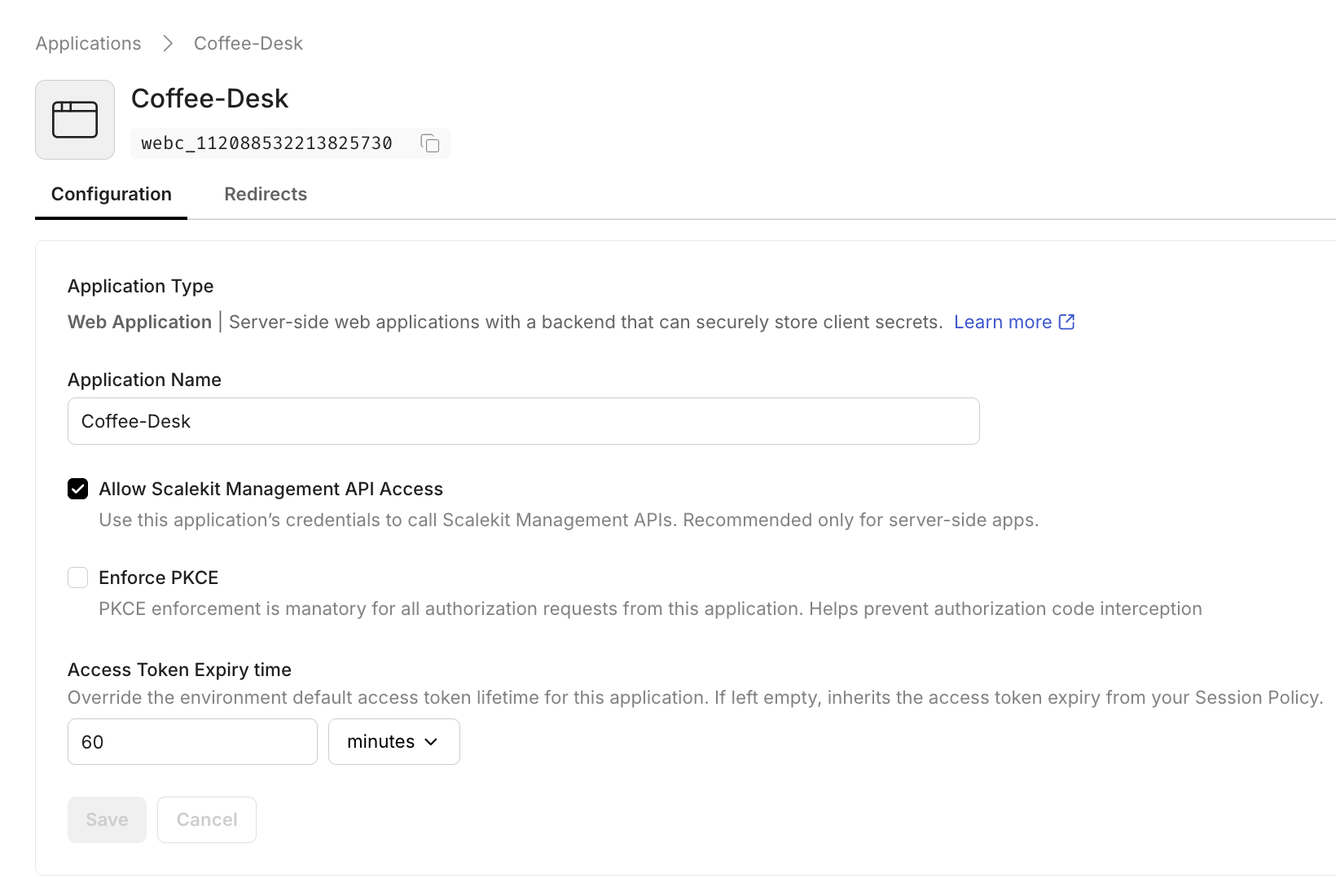
Section titled “Application details”Open an application to view and edit its configuration.
- Allow Scalekit Management API access — Enables this application’s credentials to call Scalekit Management APIs. Applicable only to Web Applications.
- Enforce PKCE — Requires PKCE for authorization requests. Always enabled and not editable for SPA and Native applications.
- Access token expiry time — Overrides the environment default access token lifetime for this application.
Client credentials
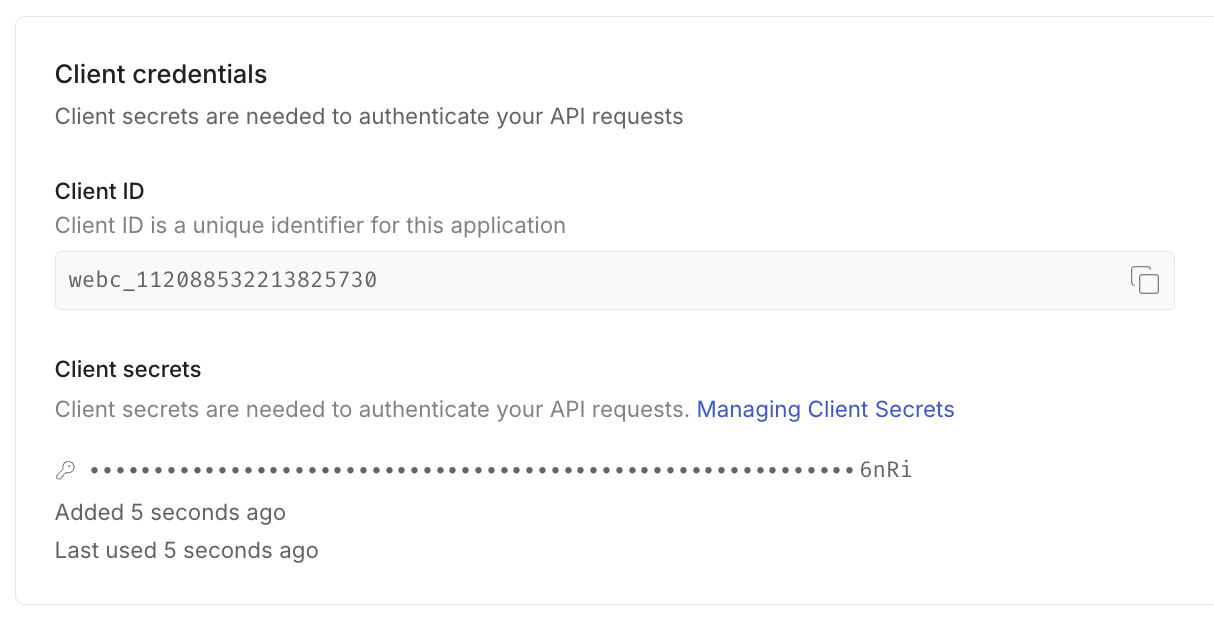
Section titled “Client credentials”Each application has a unique Client ID. When you generate a new client secret, Scalekit shows it only once. Copy and store it securely.
- Web Applications
- Can generate a Client Secret
- A maximum of two active secrets is allowed at a time
- Generating a new secret always creates a new value, enabling safe rotation
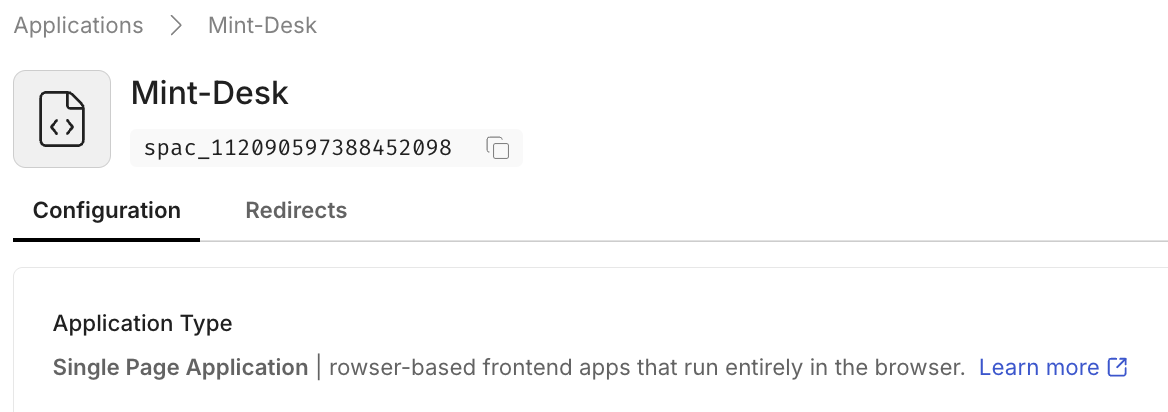
- SPA and Native Applications
- Do not have client secrets
- Authenticate using Authorization Code with PKCE only
-
Configure redirect URLs
Section titled “Configure redirect URLs”Open the Redirects tab for an application to manage redirect endpoints. These URLs act as an allowlist and control where Scalekit can redirect users during authentication flows.
Redirect URL types
Section titled “Redirect URL types”- Post login URLs — Allowed values for
redirect_uriused with/oauth/authorize - Initiate login URL — Where Scalekit redirects users when authentication starts outside your app
- Post logout URLs — Where users are redirected after a successful logout
- Back-channel logout URL — A secure endpoint that Scalekit calls to notify your application that a user session has been revoked
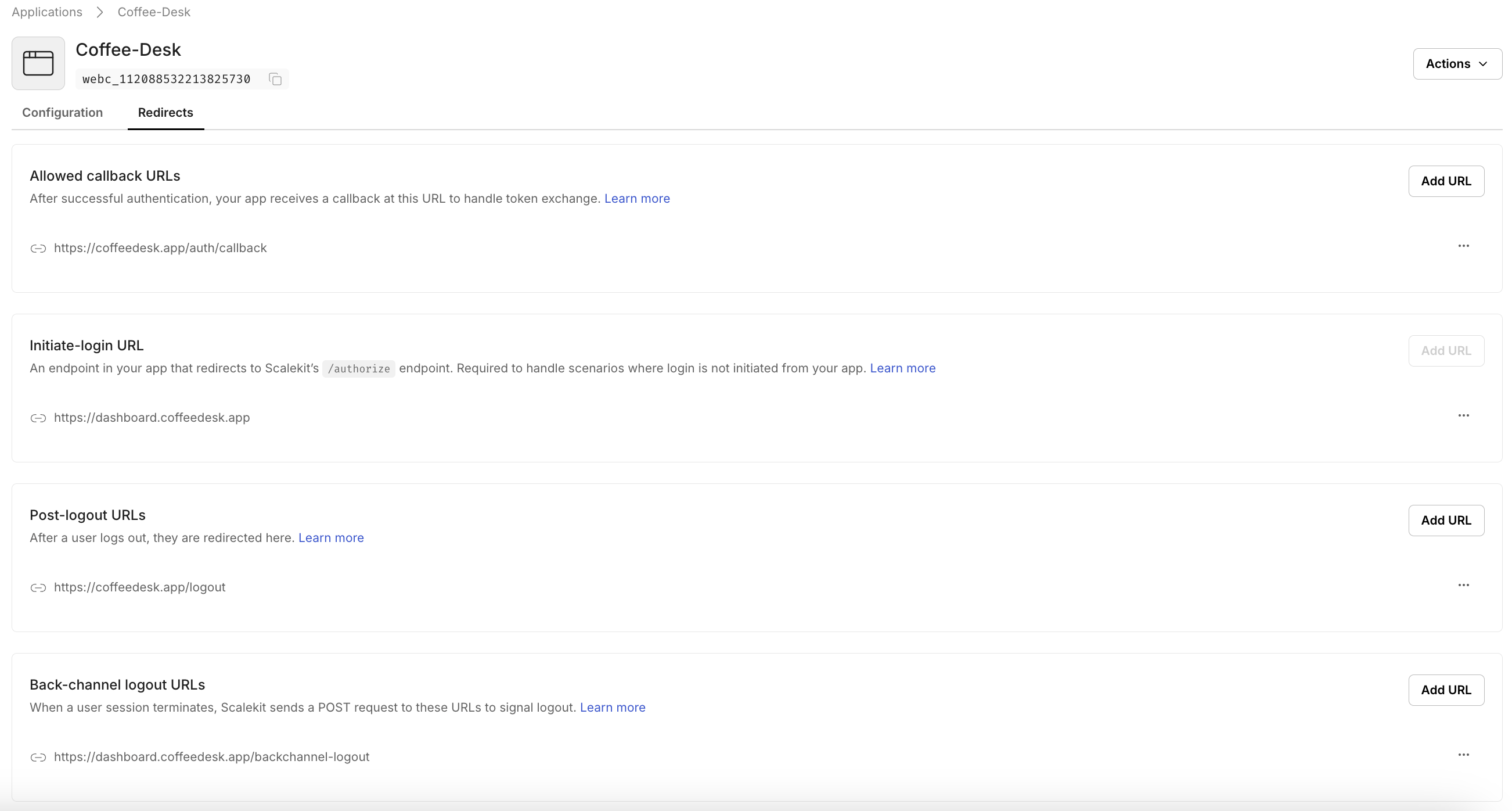
For definitions, validation rules, custom URI schemes, and environment-specific behavior, see Redirect URL configuration.
- Post login URLs — Allowed values for
-
Delete an application
Section titled “Delete an application”Delete applications from the bottom of the configuration page.
