

Provision user accounts Just-In-Time (JIT)
Turn first-time SSO logins into instant, secure access
Organizations where the SSO connection is set up, the enterprise users maybe yet to sign up on your application before they can access your application. Scalekit can automatically provision the user accounts as they sign in through SSO for the first time and creates a membership with an organization instantly. Your app will receive the user’s profile and organization membership details. This is called Just-in-time (JIT) provisioning.
This eliminates the need for manual invitations and allows users to access your application immediately after authenticating with their identity provider. JIT is enabled by default once you integrated and enabled the SSO connection.
Review the JIT provisioning sequence
Manage JIT provisioning
Section titled “Manage JIT provisioning”Manage JIT provisioning settings for each organization through the Scalekit Dashboard. Register organization domains to enable automatic user creation, and configure whether Scalekit should sync user attributes every time users sign in through SSO.
-
Register organization owned domains
Section titled “Register organization owned domains”Register email domains for your organization to enable JIT provisioning. JIT provisioning only works for users whose email domain matches one of the organization’s registered Organization domains. This ensures that only verified members of the organization can be automatically provisioned.
Contractors and external users with non-matching domains (for eg,
joe@ext.yourapp.com) cannot be automatically provisioned. These users must be manually invited to join the organization. This ensures that unauthorized users cannot obtain access automatically. -
Toggle JIT provisioning on or off
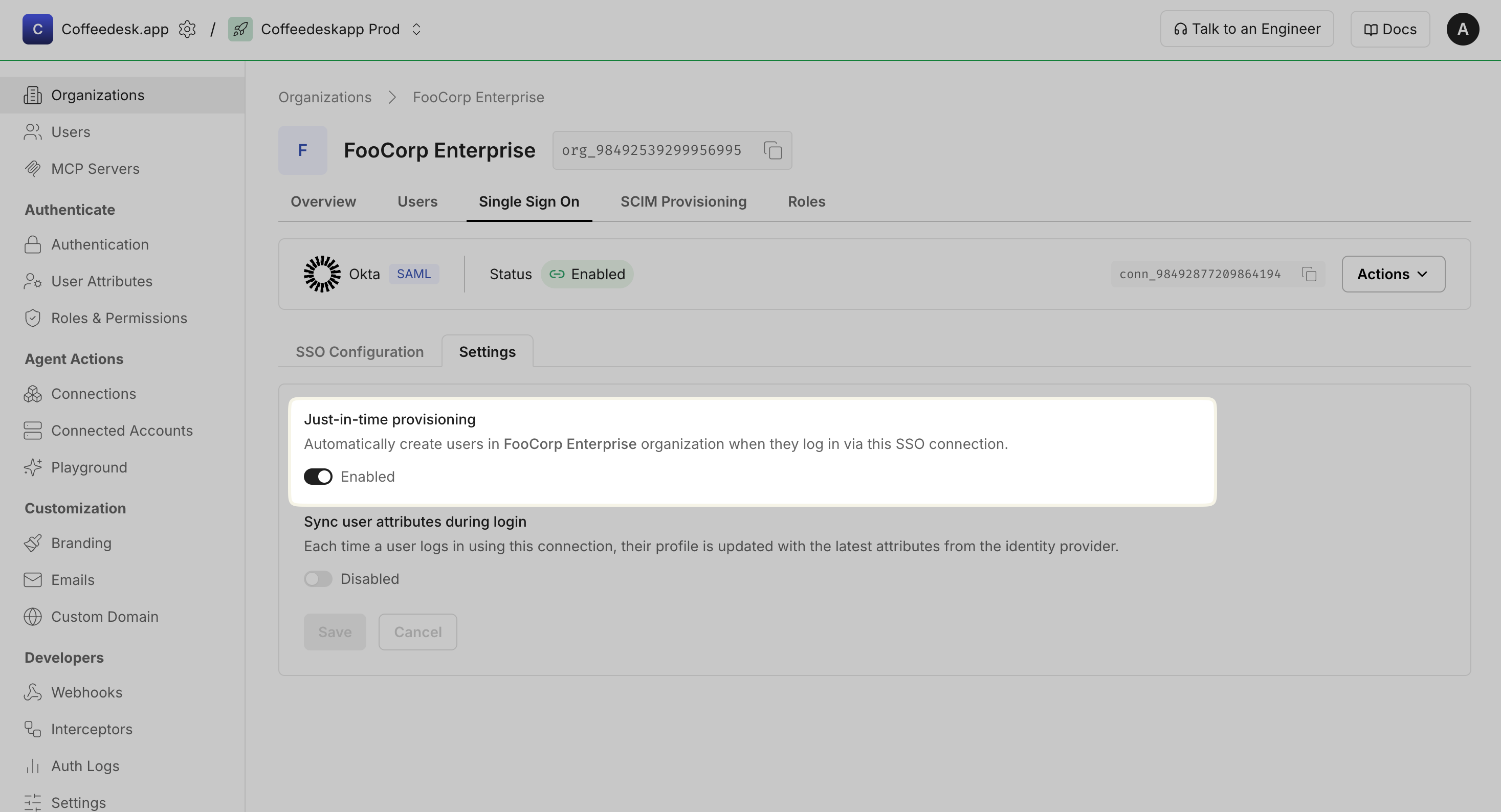
Section titled “Toggle JIT provisioning on or off”JIT provisioning is enabled by default once you integrated and enabled the SSO connection. You can toggle JIT provisioning on or off from the Scalekit Dashboard.
Go to Organizations and select the target organization > Single Sign On → Settings → Just-in-time provisioning section.
-
Keep the user profile in sync with the identity provider
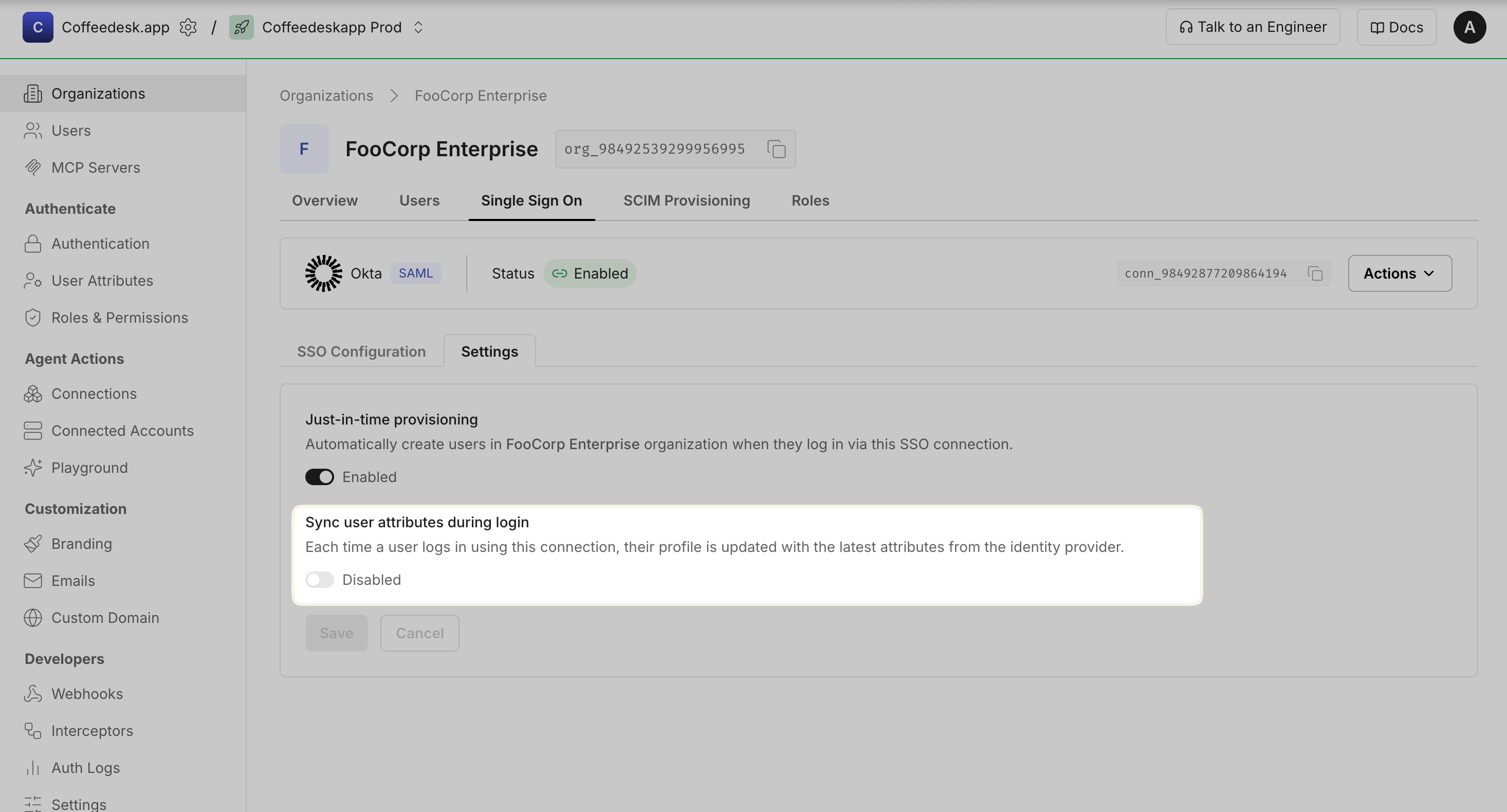
Section titled “Keep the user profile in sync with the identity provider”Enable Sync user attributes during login to keep user profiles updated. When enabled, Scalekit updates the user’s profile using attributes from the identity provider each time they authenticate.
This keeps the user’s profile in Scalekit aligned with the external Identity Provider.
-
Using self-service Admin Portal for organization admins
Section titled “Using self-service Admin Portal for organization admins”Your customers (organization admins) can manage JIT provisioning settings through the Admin Portal, including registering organization-owned domains, toggling JIT provisioning on or off, and keeping user profiles in sync with the identity provider.
Generate and share Admin Portal with your customers to set up SSO for their organization. Your end customer can manage the JIT configuration in Admin portal > Single Sign On > Settings > Just-in-time provisioning section.
Common JIT provisioning scenarios
Section titled “Common JIT provisioning scenarios”Why isn’t a user automatically provisioned during SSO login?
JIT provisioning only works for users whose email domain matches one of the organization’s registered Organization domains. If a user’s email domain doesn’t match, they won’t be automatically provisioned.
Solution: Register the user’s domain in Organization domains or manually invite the user to join the organization.
Why are user roles not assigned correctly during JIT provisioning?
During JIT provisioning, users are assigned the organization’s default member role. If roles are not being assigned as expected, the default role may be missing or misconfigured for the organization.
Solution: Review SSO connection settings for default role assignments in Dashboard > Organizations > [Organization] > Default role for member.