

BigQuery (Service Account)
Connect to BigQuery using a GCP service account for server-to-server authentication without user login.

Supports authentication: Service Account
Create a Connection
Section titled “Create a Connection”In Scalekit dashboard, go to AgentKit > Connections > Create Connection. Find BigQuery (Service Account) and click Create.
That’s it — no OAuth credentials or redirect URIs needed. BigQuery Service Account uses server-to-server authentication handled entirely through your GCP service account credentials.
Create a Connected Account
Section titled “Create a Connected Account”To connect a BigQuery account programmatically, you need a GCP service account JSON key. Here’s how to get one:
-
Create a GCP service account
- Go to Google Cloud Console → IAM & Admin → Service Accounts.
- Click + Create Service Account, enter a name and description, and click Create and Continue.
- Grant the service account the BigQuery Data Viewer, BigQuery Data Editor, and BigQuery Job User roles, then click Done.
-
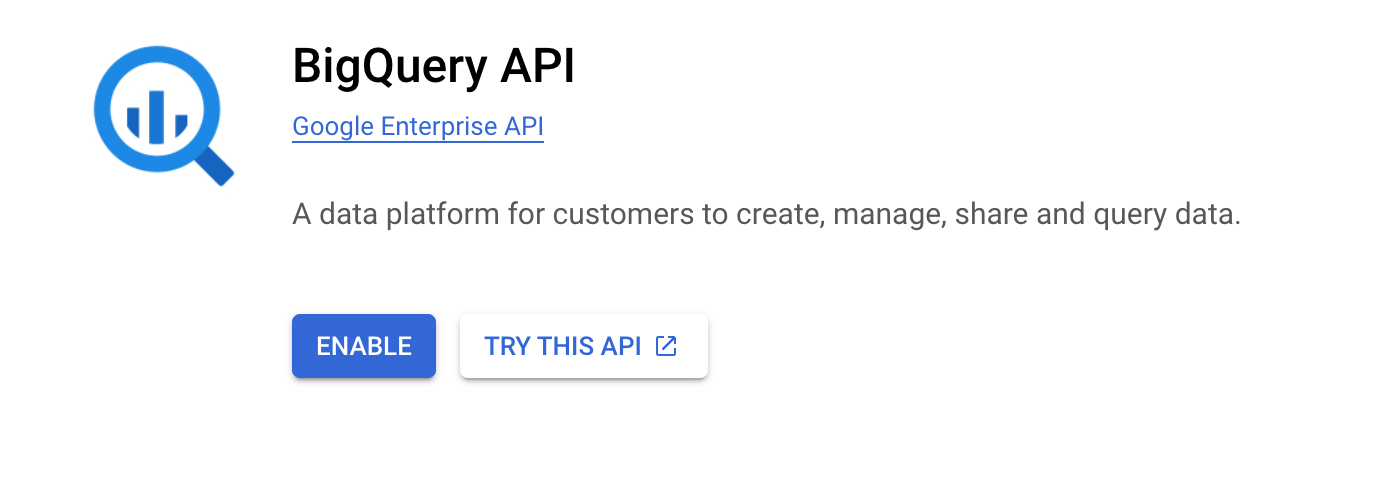
Enable the BigQuery API
-
In Google Cloud Console, go to APIs & Services → Library.
-
Search for BigQuery API and click Enable.
-
-
Download the service account JSON key
- In the Service Accounts list, click on your service account.
- Go to the Keys tab → Add Key → Create new key.
- Select JSON and click Create. The key file downloads automatically.
- Use the contents of this file as the
service_account_jsonvalue when creating a connected account.
Execute a tool
const result = await actions.executeTool({ connector: 'bigqueryserviceaccount', identifier: 'user_123', toolName: 'bigqueryserviceaccount_run_query', toolInput: { query: 'SELECT 1 AS test', },});console.log(result);result = actions.execute_tool( connection_name='bigqueryserviceaccount', identifier='user_123', tool_name='bigqueryserviceaccount_run_query', tool_input={ "query": "SELECT 1 AS test", },)print("Query result:", result.data)Proxy API call
const result = await actions.request({ connectionName: 'bigqueryserviceaccount', identifier: 'user_123', path: '/datasets', method: 'GET',});console.log(result);result = actions.request( connection_name='bigqueryserviceaccount', identifier='user_123', path="/datasets", method="GET",)print(result)Tool list
Section titled “Tool list”bigqueryserviceaccount_get_dataset
Section titled “bigqueryserviceaccount_get_dataset”Retrieve metadata for a specific BigQuery dataset, including location, description, labels, access controls, and creation/modification times.
| Name | Type | Required | Description |
|---|---|---|---|
dataset_id | string | Yes | The ID of the dataset to retrieve |
bigqueryserviceaccount_get_job
Section titled “bigqueryserviceaccount_get_job”Retrieve the status and configuration of a BigQuery job by its job ID. Use this to poll for completion of an async query job.
| Name | Type | Required | Description |
|---|---|---|---|
job_id | string | Yes | The ID of the job to retrieve |
location | string | No | Geographic location where the job was created, e.g. US or EU |
bigqueryserviceaccount_get_model
Section titled “bigqueryserviceaccount_get_model”Retrieve metadata for a specific BigQuery ML model, including model type, feature columns, label columns, and training run details.
| Name | Type | Required | Description |
|---|---|---|---|
dataset_id | string | Yes | The ID of the dataset containing the model |
model_id | string | Yes | The ID of the model to retrieve |
bigqueryserviceaccount_get_query_results
Section titled “bigqueryserviceaccount_get_query_results”Retrieve the results of a completed BigQuery query job. Supports pagination via page tokens. Use after polling Get Job until status is DONE.
| Name | Type | Required | Description |
|---|---|---|---|
job_id | string | Yes | The ID of the completed query job |
location | string | No | Geographic location where the job was created, e.g. US or EU |
max_results | integer | No | Maximum number of rows to return per page |
page_token | string | No | Page token from a previous response to retrieve the next page of results |
timeout_ms | integer | No | Maximum milliseconds to wait if the query has not yet completed |
bigqueryserviceaccount_get_routine
Section titled “bigqueryserviceaccount_get_routine”Retrieve the definition and metadata of a specific BigQuery routine (stored procedure or UDF), including its arguments, return type, and body.
| Name | Type | Required | Description |
|---|---|---|---|
dataset_id | string | Yes | The ID of the dataset containing the routine |
routine_id | string | Yes | The ID of the routine to retrieve |
bigqueryserviceaccount_get_table
Section titled “bigqueryserviceaccount_get_table”Retrieve metadata and schema for a specific BigQuery table or view, including column names, types, descriptions, and table properties.
| Name | Type | Required | Description |
|---|---|---|---|
dataset_id | string | Yes | The ID of the dataset containing the table |
table_id | string | Yes | The ID of the table or view to retrieve |
bigqueryserviceaccount_list_datasets
Section titled “bigqueryserviceaccount_list_datasets”List all BigQuery datasets in the project. Supports filtering by label and pagination.
| Name | Type | Required | Description |
|---|---|---|---|
all | boolean | No | If true, includes hidden datasets in the results |
filter | string | No | Label filter expression to restrict results, e.g. labels.env:prod |
max_results | integer | No | Maximum number of datasets to return per page |
page_token | string | No | Page token from a previous response to retrieve the next page |
bigqueryserviceaccount_list_jobs
Section titled “bigqueryserviceaccount_list_jobs”List BigQuery jobs in the project. Supports filtering by state and projection, and pagination.
| Name | Type | Required | Description |
|---|---|---|---|
all_users | boolean | No | If true, returns jobs for all users in the project; otherwise returns only the current user’s jobs |
max_results | integer | No | Maximum number of jobs to return per page |
page_token | string | No | Page token from a previous response to retrieve the next page |
projection | string | No | Controls the fields returned: minimal (default) or full |
state_filter | string | No | Filter jobs by state: done, pending, or running |
bigqueryserviceaccount_list_models
Section titled “bigqueryserviceaccount_list_models”List all BigQuery ML models in a dataset, including their model type, training status, and creation time.
| Name | Type | Required | Description |
|---|---|---|---|
dataset_id | string | Yes | The ID of the dataset to list models from |
max_results | integer | No | Maximum number of models to return per page |
page_token | string | No | Page token from a previous response to retrieve the next page |
bigqueryserviceaccount_list_routines
Section titled “bigqueryserviceaccount_list_routines”List all stored procedures and user-defined functions (UDFs) in a BigQuery dataset.
| Name | Type | Required | Description |
|---|---|---|---|
dataset_id | string | Yes | The ID of the dataset to list routines from |
filter | string | No | Filter expression to restrict results, e.g. routineType:SCALAR_FUNCTION |
max_results | integer | No | Maximum number of routines to return per page |
page_token | string | No | Page token from a previous response to retrieve the next page |
bigqueryserviceaccount_list_table_data
Section titled “bigqueryserviceaccount_list_table_data”Read rows directly from a BigQuery table without writing a SQL query. Supports pagination, row offset, and field selection.
| Name | Type | Required | Description |
|---|---|---|---|
dataset_id | string | Yes | The ID of the dataset containing the table |
max_results | integer | No | Maximum number of rows to return per page |
page_token | string | No | Page token from a previous response to retrieve the next page |
selected_fields | string | No | Comma-separated list of fields to return; if omitted all fields are returned |
start_index | integer | No | Zero-based row index to start reading from |
table_id | string | Yes | The ID of the table to read rows from |
bigqueryserviceaccount_list_tables
Section titled “bigqueryserviceaccount_list_tables”List all tables and views in a BigQuery dataset. Supports pagination.
| Name | Type | Required | Description |
|---|---|---|---|
dataset_id | string | Yes | The ID of the dataset to list tables from |
max_results | integer | No | Maximum number of tables to return per page |
page_token | string | No | Page token from a previous response to retrieve the next page |
bigqueryserviceaccount_run_query
Section titled “bigqueryserviceaccount_run_query”Execute a SQL query synchronously against BigQuery and return results immediately. Best for short-running queries.
| Name | Type | Required | Description |
|---|---|---|---|
create_session | boolean | No | If true, creates a new session and returns a session ID in the response |
dry_run | boolean | No | If true, validates the query and returns estimated bytes processed without executing |
location | string | No | Geographic location of the dataset, e.g. US or EU |
max_results | integer | No | Maximum number of rows to return in the response |
query | string | Yes | SQL query to execute |
timeout_ms | integer | No | Maximum milliseconds to wait for query completion before returning |
use_legacy_sql | boolean | No | Use BigQuery legacy SQL syntax instead of standard SQL |