

Customize session token claims
Add custom claims from a user profile and organization to the JWT access token Scalekit issues at login and session refresh
A session token claim adds a field from a user’s profile or their organization directly onto the JWT access token Scalekit issues at login and session refresh. Your API reads it straight off the token, instead of looking it up from your own database on every request.
How it works
Section titled “How it works”Every access token Scalekit issues carries a working set of default claims, resolved fresh each time a session starts or refreshes:
{ "sub": "usr_96194455173923084", // Scalekit user ID "iss": "https://your-app.scalekit.com", // Token issuer "aud": ["https://api.your-app.com"], // Intended audience "exp": 1730000600, // Expiration time "iat": 1730000000, // Issued-at time "nbf": 1730000000, // Not valid before "jti": "tkn_2b91b6b8f1e94b2c", // Unique token ID "sid": "ses_5f3a9c1d7e2b4a68", // Session ID "oid": "org_84213988219092123", // Organization ID "roles": ["admin"], // Roles in the organization "permissions": ["users:read", "users:write"] // Permissions granted}A custom claim works the same way. You define an expression once, against user or organization, and Scalekit resolves it for every session from then on, adding the result alongside the default claims above. These claims are also listed in your Scalekit dashboard, under Dashboard > Authentication > Token Claims.
Add a custom claim
Section titled “Add a custom claim”To add a custom claim:
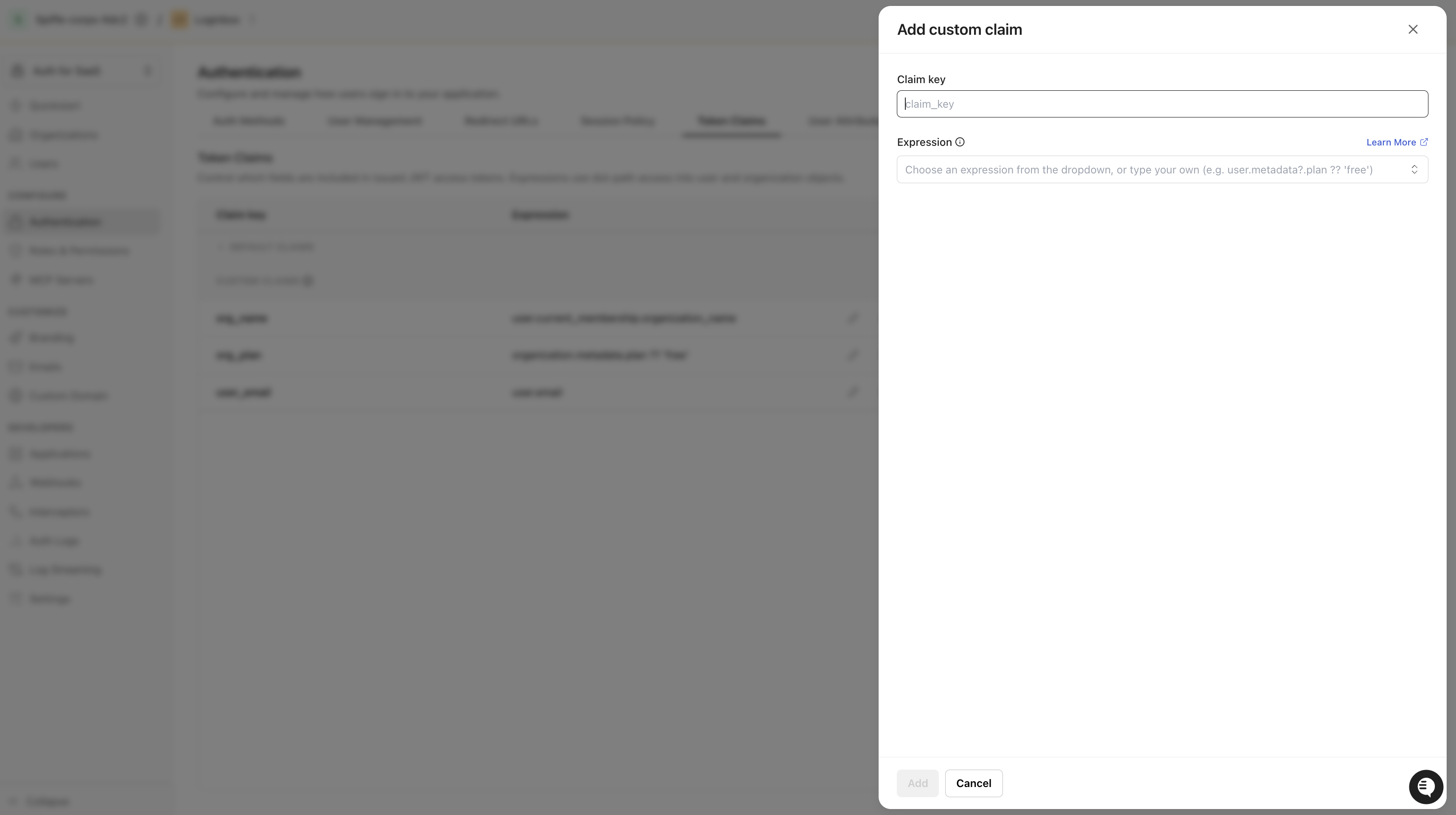
- Navigate to Dashboard > Authentication > Token Claims and click Add custom claim.
- Configure the new claim:
- Claim key - the name it appears under in the token, for example
plan. - Expression - the dot-path to the value, evaluated against
userororganization, for exampleorganization.metadata.plan.
- Claim key - the name it appears under in the token, for example
- Click Add. Scalekit applies the claim immediately, there’s no separate publish step.
Scalekit adds the resolved value to every token going forward:
{ "sub": "usr_96194455173923084", // Scalekit user ID "iss": "https://your-app.scalekit.com", // Token issuer "aud": ["https://api.your-app.com"], // Intended audience "exp": 1730000600, // Expiration time "iat": 1730000000, // Issued-at time "nbf": 1730000000, // Not valid before "jti": "tkn_2b91b6b8f1e94b2c", // Unique token ID "sid": "ses_5f3a9c1d7e2b4a68", // Session ID "oid": "org_84213988219092123", // Organization ID "roles": ["admin"], // Roles in the organization "permissions": ["users:read", "users:write"], // Permissions granted "plan": "enterprise" // Custom claim from organization.metadata.plan}Custom claims are access token extensions you can precisely configure for your application’s authorization needs. For example, as a multi-tenant SaaS platform, you might add a claim that exposes the organization’s plan, so your API can gate a premium feature without a database lookup on every request. Use the pencil icon next to a claim to edit its expression, or the trash icon to remove it.
Preview before you rely on it
Section titled “Preview before you rely on it”The Token preview panel on the Token Claims page resolves every claim, default and custom, against a real session. Select a user and their organization, and the JSON view updates with the exact payload that session’s token would carry.
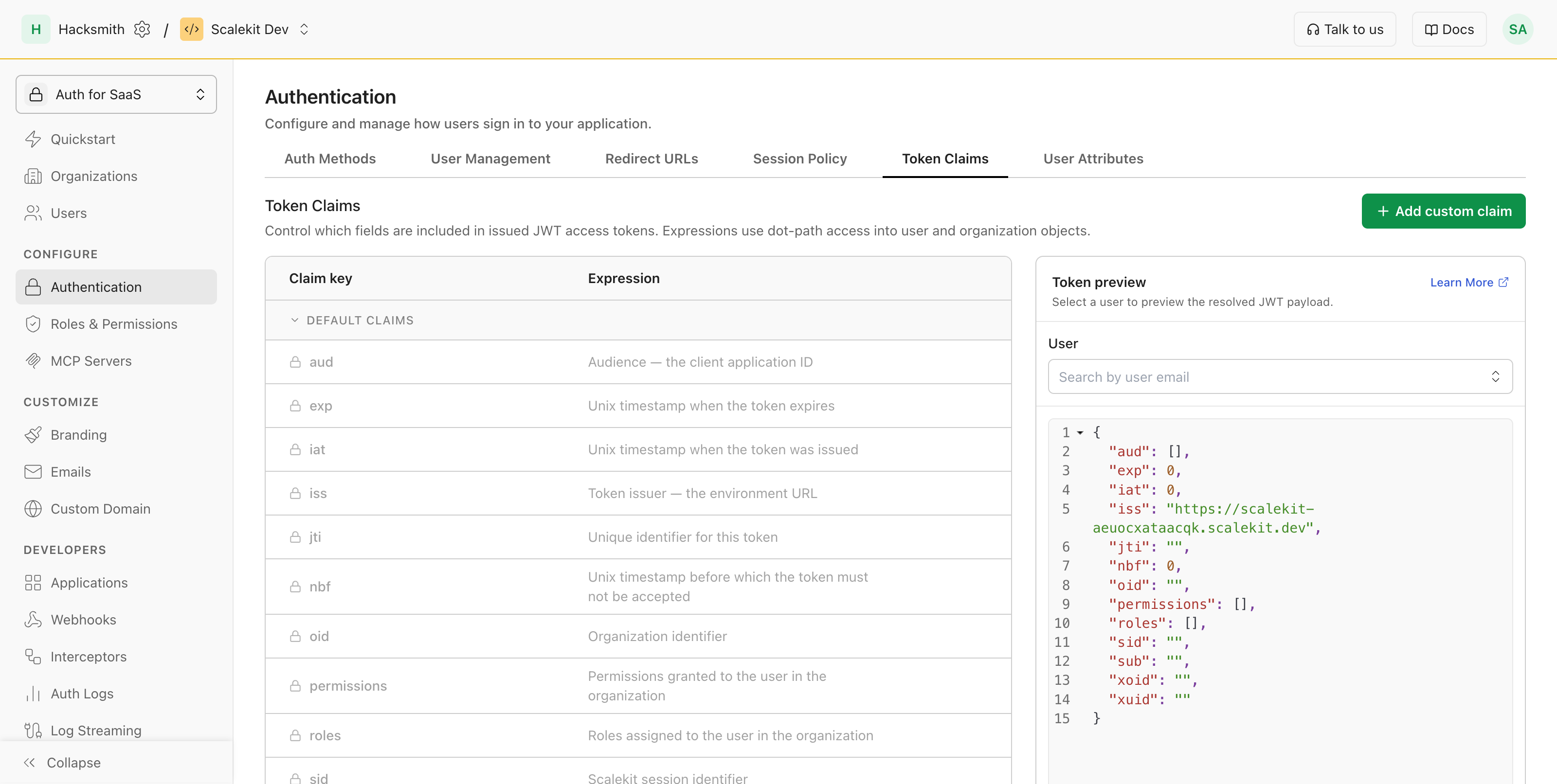
For a true end-to-end check, sign in through your OIDC flow and decode the access token you receive. A custom claim only reflects the data at the time the token was issued, so an existing token keeps its old value until the user logs in again or the token refreshes.
User and organization fields
Section titled “User and organization fields”Every expression reads from one of two objects: user or organization.
User fields:
| Field | Holds |
|---|---|
user.id | Scalekit user ID |
user.email, user.email_verified | Primary email and its verification state |
user.name, user.given_name, user.family_name | Display, first, and last name |
user.preferred_username | Preferred username |
user.phone_number, user.phone_number_verified | Phone number and its verification state |
user.picture | URL of the profile picture |
user.gender | Gender |
user.locale | Language and region preference |
user.groups | Groups the user belongs to |
user.external_id | Your system’s identifier for this user |
user.metadata | Key-value data you’ve attached to the user |
user.custom_attributes | Custom profile attributes |
user.created_at, user.updated_at | When the user account was created and last updated |
user.last_login_time | When the user last logged in |
user.current_membership.organization_id, user.current_membership.organization_name | ID and name of the organization the user is signing into |
user.current_membership.roles | Roles the user holds in that organization |
user.current_membership.status | Membership status, for example active |
user.current_membership.metadata | Key-value data on the membership itself |
Organization fields:
| Field | Holds |
|---|---|
organization.id | Scalekit organization ID |
organization.name | Organization display name |
organization.external_id | Your system’s identifier for this organization |
organization.metadata | Key-value data you’ve attached to the organization |
Write the expression
Section titled “Write the expression”The simplest expression is a field path, like user.email. Scalekit evaluates it against the signed-in user and their organization, and the result becomes the claim’s value.
Chain a fallback with ?? for when the first field might be missing, for example user.email ?? user.preferred_username. It only falls back on a missing or nil value, not an empty string.
Once a chain goes more than one level below a field that might not exist, add ?. at that hop instead of a plain .. ?. short-circuits to a missing value the moment the left side is missing, so ?? can still catch it; a plain . on a missing value causes a runtime error instead, which ?? can’t resolve. You only need ?. below the uncertain field, not before it: organization.metadata is always present, so organization.metadata.billing is safe as-is, but billing itself might be missing, so reaching into it needs organization.metadata.billing?.tier.
A few more patterns:
| What you want | Expression |
|---|---|
| A profile field | user.email |
| Something from your own metadata | organization.metadata.plan |
| A default when a field might be unset | organization.metadata.plan ?? "free" |
| A default two levels below a field that might be missing | organization.metadata.billing?.tier ?? "free" |
A few string and array helpers are also available (split, trim, len, filter, and more) for anything more involved than a plain lookup.
Once your claims are in place, see Manage user sessions for how your application stores, validates, and refreshes the token they’re attached to.